


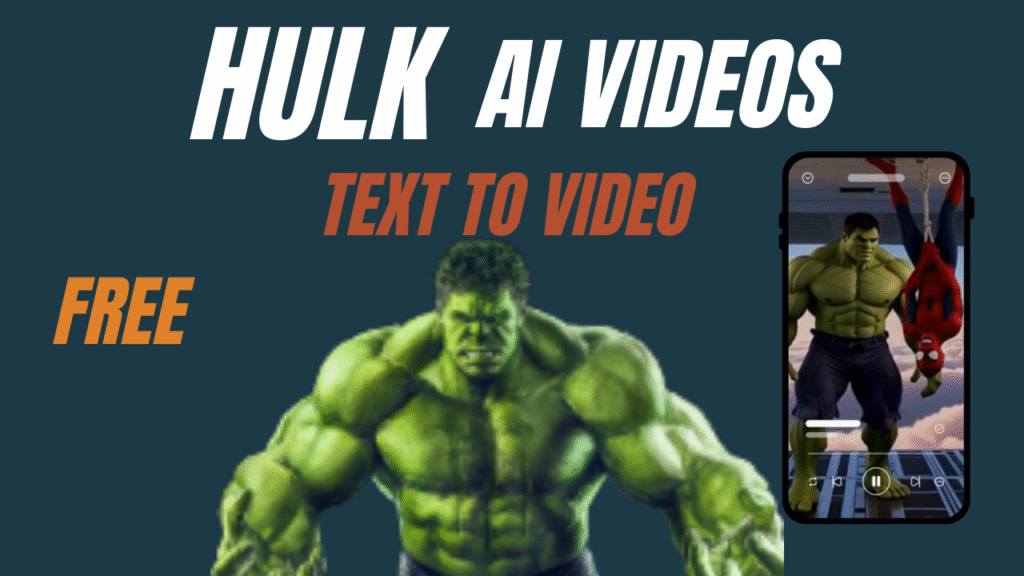
These HULK AI VIDEO clips are everywhere.
Instagram Reels.
YouTube Shorts.
TikTok feeds.
And here’s the real shocker…
Most creators making these viral Hulk-style AI videos are not using expensive software.
Wait.
There is more.
They are not professional animators either.
They’re using free AI video generators, smart prompts, and simple editing workflows to create cinematic content that looks powerful, dramatic, and scroll-stopping.
Are you wondering how to do it?
Don’t worry if you don’t have the budget to create AI videos.
In this guide, I’ll show you exactly how AI video creation works for Hulk-style content, step by step, using only free tools.
A HULK AI VIDEO is a short cinematic AI-generated video featuring a powerful green humanoid character with exaggerated strength, dramatic lighting, and intense action scenes.
It is:
Not a real movie character
Not copyrighted footage
Fully AI-generated using text prompts
Creators use free AI video generators to turn text into scenes, scenes into videos, and videos into viral content.
And this is not all.
These videos perform extremely well because:
They trigger emotion
They show power and transformation
They work perfectly in short-form video platforms
Before we jump into the steps, here’s what you’ll need:
ChatGPT – for story creation and video animation prompts
Grok Imagine – for text-to-video generation
CapCut PC – for combining scenes and editing
Patience and creativity
That’s it.
No paid software.
No subscriptions required.
Here’s the truth.
First of all, this is not everything…
The real power of HULK AI VIDEO is accessibility.
You don’t need:
A production team
Cameras
Editors
Paid AI subscriptions
You only need:
A free AI video generator
A little patience
Smart prompts
That’s it.
And yes, this method is 100% free.
Now comes the part you’re waiting for.
Are you wondering how to do it?
Let’s go step by step.
Start by asking ChatGPT to create a short cinematic story for a HULK AI VIDEO.
Describe:
A powerful green humanoid
Transformation scenes
Destruction or strength moments
Cinematic lighting and atmosphere
Example Prompt:
“create a 3 scene mountain dew ad using hulk and spiderman, for example accepting a challenge and taking a dive from aeroplane. add dialogue in each scene .add mountain dew in the hands of both characters in the last scene. slogan of Mountain dew is “Do the Dew”
This is the foundation of your AI video creation.
Next, ask ChatGPT to break the story into individual scenes.
Each scene should include:
Character action
Environment
Camera movement
Mood and lighting
This step is critical.
Why?
Because free AI video generators work best when prompts are short and focused.
Now comes the magic.
Tell ChatGPT (Example Prompt):
“Create detailed video animation prompts for each scene.”
These prompts should mention:
Camera angles
Motion speed
Lighting effects
Visual intensity
This is where AI video creation becomes cinematic instead of amateur.
Take each animation prompt and paste it directly into Grok Imagine.
Select:
Video generation
Desired aspect ratio (9:16 for Reels)
Cinematic quality
Wait.
This is not all.
Generate each scene separately for best results.
Do not rush this step.
Generating one scene at a time ensures:
Better motion quality
Fewer visual errors
Consistent cinematic tone
Yes, it takes time.
But remember—this is a free AI video generator workflow.
Once all scenes are generated, import them into CapCut PC.
Edit by:
Arranging scenes
Adding sound effects
Adding background music
Applying color grading
This step turns raw AI output into a polished HULK AI VIDEO.
Step 7: Export Your Final HULK AI VIDEO FREE
Export your final video in high resolution.
Congratulations.
You just completed full AI video creation without spending money.
Now upload your final clip as a short.
Pro tip:
Use cinematic music
Add short captions
Keep it under 20 seconds
Shorter videos loop better.
And looping equals more reach.
Let’s be honest.
This is a free workflow.
So yes…
It takes:
Time
Patience
Trial and error
If you want to generate hundreds of AI videos daily, paid tools are faster.
But if you don’t have the budget to create AI videos…
This method works.
And it works well.
Many founders ask:
“What if I want longer ads?”
Here’s the honest answer.
With free tools:
You trade speed for cost savings
You trade scale for patience
You can:
Use multiple accounts (time-heavy)
Stack daily videos
Or upgrade later once ads start working
This free AI Video Generator method is not about speed.
It’s about momentum.
This workflow works because:
AI handles visuals
You control storytelling
Editing adds professionalism
There is more.
Short-form platforms prioritize:
Strong visuals
Fast storytelling
Emotional hooks
Hulk-style AI videos naturally fit this formula.
Mistake 1: Using Long Prompts
Free AI video generators perform poorly with overly long prompts.
Mistake 2: Generating One Long Video
Always generate scenes separately for better control.
Mistake 3: Ignoring Lighting Instructions
Lighting defines realism in AI video creation.
Mistake 4: Overusing Effects
Too many effects make the video look fake.
Mistake 5: Poor Scene Transitions
Bad transitions ruin cinematic flow.
Tip 1: Use Slow, Intentional Camera Movements
Subtle push-ins, slow pans, and gentle zooms instantly add a cinematic feel to your AI video creation. Fast or shaky camera motion can make even high-quality visuals feel cheap, especially when using a free AI video generator.
Tip 2: Keep Individual Scenes Under Five Seconds
Short, punchy scenes perform far better on Instagram Reels, YouTube Shorts, and TikTok. Tight pacing keeps attention high and increases the chances of viewers watching your AI video all the way through.
Tip 3: Add Purposeful Sound Design
Sound effects and background audio dramatically elevate perceived production value. Even simple impacts, whooshes, or ambient tones can transform a basic AI video creation into a premium-looking ad.
Tip 4: Use Dark, High-Contrast Lighting for Impact
High-contrast lighting enhances strength, depth, and emotion. This lighting style helps your AI-generated visuals look powerful, dramatic, and more professional across all platforms.
Tip 5: Test Multiple Creative Variations
True virality comes from testing. Generate multiple versions with slight changes in angles, lighting, or pacing. When using a free AI video generator, experimentation costs time, not money—use that advantage.
Tip 6: Lock Your Character Description Early
When using AI video creation tools, save one finalized character prompt and reuse it for every scene. This prevents unwanted visual changes and keeps your free AI video generator outputs visually aligned.
Tip 7: Use Fewer Effects, Stronger Composition
Overusing effects can make AI videos feel artificial. Focus on strong framing, cinematic lighting, and clean motion instead of flashy transitions to elevate your AI video creation quality.
Tip 8: Design for the First 2 Seconds
The opening frame decides if viewers stay. Make sure your AI video starts with a powerful pose, bold lighting, and clear subject focus to stop scrolling instantly.
Tip 9: Optimize for Vertical and Square Formats
If your goal is virality, always adapt your AI video creation for Reels, Shorts, and TikTok. Crop intentionally so the subject remains dominant even on small screens.
Tip 10: Export at the Highest Possible Resolution
Even when using a free AI video generator, always export in the highest resolution available. Higher-quality exports retain clarity after social media compression and improve overall performance.
Most AI image and video generation tools do not allow the direct use of copyrighted film characters or their exact names, appearances, or likenesses. Attempting to generate content using real movie characters can result in policy errors, blocked generations, or account restrictions. To safely create AI content, always design a fictional or original character inspired by the general traits (such as strength, color, or personality) rather than copying the actual character. By creating a similar but original character, you can legally and ethically generate AI images, videos, and advertisements without violating platform guidelines.
Avoid copyrighted character names
Use original descriptions only
Clearly state fictional characters
Respect platform content guidelines
This keeps your HULK AI VIDEO safe and monetizable.
One powerful bonus tip most creators overlook is scene consistency. When creating a VIRAL AI video using a free AI video generator, always keep your main character’s proportions, lighting style, and camera angle consistent across scenes. This small detail dramatically improves perceived quality and makes your AI video creation look like a professionally produced ad instead of stitched-together clips. Consistency builds trust, and trust is what turns views into engagement and conversions.
Creating a HULK AI VIDEO in 2026 is no longer about money—it’s about understanding AI video creation workflows. With a free AI video generator, smart prompts, and consistent testing, anyone can produce cinematic content that performs on social platforms.
This is not everything.
The real twist is yet to come…
Those who master prompt storytelling today will dominate AI video content tomorrow.
This guide showed how to create a viral HULK AI VIDEO using a completely free workflow. By combining ChatGPT for prompts, Grok Imagine as a free AI video generator, and CapCut PC for editing, creators can execute full AI video creation without expensive tools.
Bullets:
Use ChatGPT for stories and prompts
Generate scenes individually
Edit professionally in CapCut
Keep characters original
Stay consistent and test often
At Samin AI Marketing Hub, we built our entire CGI advertising framework around one core insight: why AI ads are getting worse is not a technology issue—it’s a brand strategy failure. That’s why we don’t start with effects, prompts, or automation. We start with brand perception, buyer psychology, and conversion intent. Before a single frame is generated, we map your beauty brand’s positioning, price point, target audience, and emotional triggers. This ensures every AI ad we create reinforces trust, elevates perceived value, and supports sales—not just views.
We believe why AI ads are getting worse has nothing to do with AI tools—and everything to do with missing brand intelligence. Most ads fail because they start with effects instead of strategy. We reverse this completely.
Before creating any AI visuals, we define:
Brand positioning (luxury, masstige, indie, or clinical beauty)
Target buyer psychology and buying triggers
Price perception and value signaling
Platform-specific ad intent (paid ads vs organic virality)
Conversion goal (trust, education, or purchase)
This strategic foundation ensures every AI CGI ad supports brand perception first, not visual chaos. By anchoring creativity to intent, we eliminate the core problem behind why AI ads are getting worse and build ads that feel premium, intentional, and trustworthy to beauty consumers.
Once strategy is locked, we use AI as an enhancement layer—not a decision-maker. This is where most brands fail and why AI ads lose credibility. Our process is human-directed, conversion-focused, and realism-driven.
Our AI execution framework focuses on:
Studio-grade lighting to maintain luxury perception
Realistic material and texture simulation (glass, liquid, cream, shimmer)
Clear product hierarchy so the product remains the hero
Controlled motion that feels natural, not exaggerated
Camera angles designed to increase perceived product quality
Visual pacing aligned with beauty buying psychology
By blending AI speed with human creative control, we avoid the pitfalls that explain why AI ads are getting worse across the industry. The result is AI advertising that builds trust, supports sales, and protects long-term brand equity—especially for beauty brands targeting premium and U.S. markets.
At Samin AI Marketing Hub, we don’t chase viral visuals.
We build brand-safe AI ads that convert attention into revenue.
Ready to start creating viral, high-converting AI video ads for your brand? Join my AI Video Ads Mastery Course and learn how to create cinematic ads in minutes: no studio, no actors, no editing skills needed.
 Enroll now and transform the way you market in 2026.
Find quick answers to the most common questions about How to Create Viral HULK AI VIDEO FREE? And discover how this simple editing step can instantly make your content more engaging, professional, and ready to grab attention in 2026.
A HULK AI VIDEO is a fictional, AI-generated video that features a powerful green humanoid character created entirely through artificial intelligence tools and well-structured prompts. The character is inspired by the idea of strength and transformation but is designed to be original, avoiding direct replication of copyrighted characters. These videos are typically created using AI image and video generation platforms, then refined through editing to produce cinematic, engaging content suitable for social media, ads, or storytelling. The appeal lies in the visual impact, larger-than-life presence, and the ability to create high-energy scenes without traditional filming or animation resources.
Yes, it is entirely possible to create these videos using free AI tools. This workflow is designed to rely on free or freemium platforms that allow users to generate images, short video clips, or animations without upfront costs. While free tools may have limitations such as watermarks, lower resolution, or generation caps, they are more than sufficient for learning, experimenting, and even producing publishable content. By combining multiple free tools strategically, creators can build complete AI-generated videos without investing in expensive software or subscriptions.
You do not need advanced editing skills to create a HULK AI VIDEO, but having basic editing knowledge is important. Tools like CapCut PC are specifically designed for beginners, offering drag-and-drop timelines, ready-made effects, transitions, and text animations. With a basic understanding of cutting clips, aligning scenes, adding music, and applying simple effects, anyone can assemble a polished video. As you gain more experience, you can gradually improve pacing, storytelling, and visual flow, but technical complexity is not a barrier to getting started.
How long does it take to create one video?
On average, creating a single HULK AI VIDEO takes between one to two hours, depending on the number of scenes and the level of detail involved. Simple videos with fewer shots and minimal effects can be completed faster, while more cinematic videos with multiple angles, transitions, and visual enhancements may take longer. The time is usually split between generating AI visuals, selecting the best outputs, and assembling everything in an editor. As you repeat the process and refine your workflow, production time typically decreases significantly.
Can I monetize these videos?
Yes, you can monetize these videos, provided the characters and visuals you create are original and do not infringe on copyrighted intellectual property. By designing unique characters, names, and storylines, you avoid legal issues and maintain full ownership of your content. These videos can be monetized through social media platforms, content licensing, brand collaborations, digital products, or ad-driven revenue models. Original AI-generated characters also open the door to long-term branding opportunities, allowing creators to build recognizable identities and recurring content series.
Can I make AI videos for this trend for free?
Yes. Using Sora, PixVerse, and Vmake.ai, you can make AI videos without paying—though it requires patience.
Can I really create quality AI video content without professional skills?
Yes — with the right prompt and sequence of tools, you can generate AI video content that looks polished and cinematic. Using Sora to generate a high-quality image, PixVerse for animation, and then removing the watermark with VMake.ai, you can perform effective AI video creation even as a beginner.
Are there limitations to using free AI video generators for this trend?
Yes, free tools often limit daily credits, video length, and resolution. While you can create a DHURANDHAR AI BTS Viral VIDEO with no budget, it takes patience and careful prompt crafting. If you run out of daily free credits on PixVerse, you may need to wait or use alternate accounts to continue testing.