


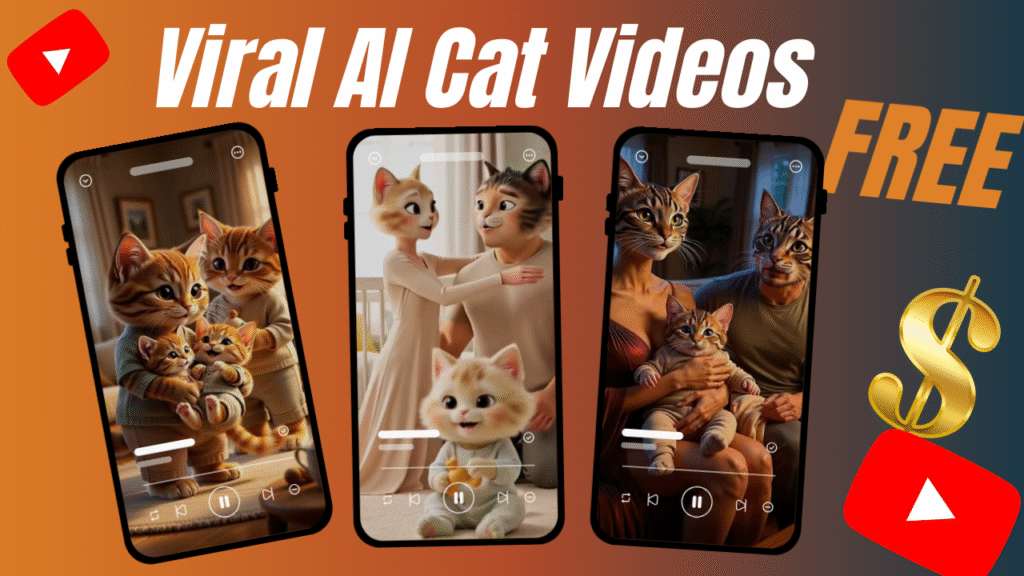
Viral cat content has dominated the internet for years, but in 2026, a new evolution is taking over feeds everywhere: the viral cat AI video. These videos combine the internet’s favorite animal with the power of a free AI video generator, allowing creators to produce highly engaging, scroll-stopping content without expensive cameras, studios, or editing teams. Using tools like ChatGPT, Grok Imagine AI, and simple editing workflows, anyone can now jump into AI video creation and produce short, entertaining cat videos that are optimized for Reels, Shorts, and TikTok. And here’s the best part: you don’t need a big budget. With the right process, patience, and creativity, viral results are within reach.
Cats are already internet superstars, with many social media accounts dedicated to them. Now AI lets anyone make funny or cute cat videos without expensive equipment. In fact, you can generate adorable, viral cat content instantly with AI. This guide breaks down the entire process into 8 easy steps, from brainstorming with ChatGPT to editing your final clip in CapCut. We’ll also cover precautions, common mistakes to avoid, pro tips, SEO tags, a quick summary, and FAQs so you have the full picture on AI video creation.
A viral cat AI video is a short-form video created using artificial intelligence where cats are animated, stylized, or placed into imaginative scenes that feel entertaining, emotional, or humorous. Instead of filming real cats, creators use AI tools to generate scenes, movements, and animations from text prompts or images.
This form of AI video creation allows you to control expressions, actions, environments, and storytelling with precision, making it easier to test multiple concepts quickly. When combined with smart editing and trending formats, these AI-generated cat videos become highly shareable and often monetizable, making them one of the most powerful content formats in today’s AI-driven creator economy.
Before we jump into the steps, here’s what you’ll need:
ChatGPT – for story creation and video animation prompts
Grok Imagine – for text-to-video generation
CapCut PC – for combining scenes and editing
Patience and creativity
That’s it.
No paid software.
No subscriptions required.
Here’s the truth.
First of all, this is not everything…
The real power of Viral Cat AI Video is accessibility.
You don’t need:
A production team
Cameras
Editors
Paid AI subscriptions
You only need:
A free AI video generator
A little patience
Smart prompts
That’s it.
And yes, this method is 100% free.
Now comes the part you’re waiting for.
Are you wondering how to do it?
Let’s go step by step.
Start by planning your video’s story. Using ChatGPT (the free version works fine), write a prompt to outline your viral cat AI video’s scenes.
For example:
“I want to create a story video using cats as characters in which there is a baby, mother and a father. create a 5 scenes story of father and mother experiencing rashes on baby skin and then they discover a product online for babies which is best for rash removal. all the characters have human like bodies with cat skin, cat tale and cat head , cat mouth.write 5 scenes for it ”
ChatGPT will respond with a structured outline or narrative. It might list scenes like “Scene 1: Cat sees a rocket; Scene 2: Cat floats in zero gravity; Scene 3: Cat returns home.” This scene breakdown becomes your roadmap. Even Synthesia’s blog highlights that “it’s easy to generate content for your video scripts using ChatGPT” – just give it a clear prompt and click generate. This way, you get an engaging storyline in seconds.
This is the foundation of your AI video creation.
Next, ask ChatGPT to break the story into individual scenes.
Each scene should include:
Character action
Environment
Camera movement
Mood and lighting
This step is critical.
Why?
Because free AI video generators work best when prompts are short and focused.
Now comes the magic.
Tell ChatGPT about your next prompt.
These prompts should mention:
Camera angles
Motion speed
Lighting effects
Visual intensity
Turn your story outline into AI video prompts. Again use ChatGPT: tell it to write detailed visual or animation prompts for each scene from your outline.
For example:
“For each scene in the cat space story, write a creative text prompt that describes the visuals, lighting, and style as if for a video generator.”
ChatGPT will transform your scene ideas into rich, descriptive prompts. For instance, it might give you a prompt like “A playful ginger tabby cat floating inside a rocket cabin with gleaming controls, cartoon style, vibrant colors, space background” for Scene 1. Or “A mischievous cat in an astronaut suit on the moon surface, photorealistic, dramatic lighting”. These prompts are now ready to feed into an AI video generator. This step ensures your video has engaging visuals and follows the story you planned.
Wait, there’s more! Don’t worry if you’ve never written video prompts before. The beauty of using ChatGPT twice is that it handles the heavy lifting. First you got the scenes, now you get the exact prompts to feed into a video tool. ChatGPT is like your co-writer: it can even suggest styles and elements (scary black space? cute kawaii vibe?). Take advantage of that to make your scenes pop.
This is where AI video creation becomes cinematic instead of amateur.
Now it’s time to turn text into video. We’ll use Grok Imagine (an AI video generator) for this. Grok Imagine (from xAI) allows you to paste text prompts and create short video clips – and best of all, it’s free with daily credits. Here’s how:
Open Grok Imagine: Visit the Grok Imagine web app or Chrome extension. Sign up for free to get daily credits (usually enough for a few clips each day).
Paste a Prompt: Copy one of the scene prompts you got from ChatGPT and paste it into Grok Imagine. For example, your “cat floating in a rocket” prompt.
Adjust Settings (Optional): Set the format (e.g. 9:16 for TikTok/Reels, which is great for viral short videos). You may select mode (like Normal or Fun) to control the style.
Generate the Scene: Click “Generate” and wait a few seconds. Grok Imagine will animate the scene with synchronized sound effects.
According to EaseMate AI, Grok Imagine can convert text or images into dynamic videos with synced audio. It’s lightning-fast: describe your scene, and Grok Imagine creates an animated clip in moments. It even supports “text to video with sound,” meaning the clip often includes background audio or cat sounds automatically.
There is more: Grok Imagine offers different modes. The default “Normal” mode gives a realistic animation, while “Fun” mode exaggerates and adds whimsical touches. For a viral cat video, try Fun mode to make the cat’s actions more cartoonish or comedic. And yes, it’s completely free – as EaseMate AI notes, Grok Imagine can be used without paying. Now generate each of your scene videos one by one, until you have all your short clips ready.
After generating, download each scene video to your computer. Grok Imagine typically lets you save the clip as MP4 without watermarks. Make sure to name them in order (e.g., scene1.mp4, scene2.mp4, etc.) so they’re easy to assemble later.
Tip: If your prompt wasn’t perfect, iterate! Maybe rephrase it or add details if the first result looks off. AI generators can vary; tweak the prompt or try another mode for better results.
Another tool option: If Grok Imagine isn’t accessible, other free AI video generators exist. For example, Adobe Firefly also has a free text-to-video generator (with limited uses). And sites like Revid.ai even offer an “AI Cat Video Generator” that turns prompts into cat scenes. You can use whichever free tool you prefer to get similar cat videos.
Are you wondering how to manage all these clips? Create a project folder. Save all the generated cat scene videos there. Later we will combine and edit them seamlessly. For now, just ensure you have every part of your cat story captured in video form.
With all your scene videos ready, it’s time to assemble the final video. We’ll use CapCut Desktop, a free video editor for PC/Mac. CapCut offers powerful editing features without watermark (for free version), and even AI-powered tools for effects and captions.
Download and Install CapCut: Go to the CapCut website and download CapCut Desktop (it’s free). Install and open it.
Create a New Project: Import all your scene clips into CapCut in the correct order.
Trim/Arrange Clips: Place the scene videos back-to-back on the timeline. Trim any dead space at the start or end of each clip to keep things snappy. Remember, viral videos often keep a fast pace.
Add Transitions (Optional): For a smooth flow, you can add simple transitions (like crossfade) between scenes. CapCut has many free effects.
Enhance with Text and Overlays: Insert any on-screen text, captions, or stickers. For cat videos, maybe add a funny caption like “Houston, we have a cat!” on a scene in space. CapCut’s text tools make it easy to add animated text.
Use AI Tools if Needed: CapCut even has AI features like background remover, auto captions, and more, if you want to experiment.
Soundtrack and Voiceover: This step is crucial! Use CapCut to add music or voiceover:
Voiceover: If you want to monetize and personalize, record yourself narrating or making the cat talk. CapCut can record audio directly or import your file.
Music/SFX: Add background music or sound effects (meows, etc.) to make it engaging. Just ensure any music is royalty-free or from CapCut’s library to avoid copyright issues.
Bonus Tip: But wait, there’s more – stay with me. These finishing touches in editing can make or break your video. Even simple adjustments like adding catchy background music or your own voiceover can dramatically increase engagement. We’ll cover pro tips on this below.
Once everything looks good (check flow, check audio levels, make sure it’s under 60 seconds for TikTok/Reels), move on.
Step 7: Export Your Final Cat AI Video
You’re almost there! In CapCut, click Export to render your final video file. Choose settings like MP4 format at 1080p (enough for social media). CapCut’s desktop editor exports high-quality video quickly.
File Name: Give it a catchy name, perhaps including keywords (e.g.
Viral_Cat_AI_Space_Adventure.mp4).Ad-Free: Since you did this editing offline on your PC, the video is ad-free (CapCut’s export adds no watermark in the free version on PC).
Quality Check: Watch the exported video to ensure everything looks right (no glitches, audio synced).
Backup: Keep a copy of the project and final video, in case you need edits later.
Boom! Your cat AI video is ready to upload. All 7 steps are complete. At this point, you should have a polished AI-generated cat video. For example, one creator who followed a similar process was able to make viral cat clips that resonated on TikTok (the key is creativity and quality).
Bonus Tip: Voiceover and Monetization
If you recorded your own voiceover narrating or doing cat sounds in the video, you have added a personal touch. This is important because platforms often demonetize AI-generated content if it lacks originality. By using your voice:
You differentiate the content and avoid copyright issues with AI voices.
You make it feel more authentic and engaging.
You can add calls-to-action (“Follow for more!”, “Subscribe!”, etc.) to grow your channel or page.
This means you can monetize your video (via ads on YouTube or by growing a following that you promote products to). As the script noted, using your own voiceover lets you monetize these videos more easily. In short: Make it personal to make it profitable.
Now upload your final clip as a short.
Pro tip:
Use cinematic music
Add short captions
Keep it under 60 seconds
Shorter videos loop better.
And looping equals more reach.
Let’s be honest.
This is a free workflow.
So yes…
It takes:
Time
Patience
Trial and error
If you want to generate hundreds of AI videos daily, paid tools are faster.
But if you don’t have the budget to create AI videos…
This method works.
And it works well.
Many founders ask:
“What if I want longer ads?”
Here’s the honest answer.
With free tools:
You trade speed for cost savings
You trade scale for patience
You can:
Use multiple accounts (time-heavy)
Stack daily videos
Or upgrade later once ads start working
This free AI Video Generator method is not about speed.
It’s about momentum.
This workflow works because:
AI handles visuals
You control storytelling
Editing adds professionalism
There is more.
Short-form platforms prioritize:
Strong visuals
Fast storytelling
Emotional hooks
Cat AI videos naturally fit this formula.
Creating AI videos is fun, but be mindful:
Copyright and Fair Use: Avoid using copyrighted music or images unless they’re royalty-free. Use CapCut’s stock music or music you have rights to. When describing your scenes, don’t base them on proprietary characters or franchises unless you have license.
Platform Rules: Each social platform (TikTok, YouTube, etc.) has community guidelines. Don’t generate disallowed content (no graphic violence, hate speech, or NSFW). For instance, Grok Imagine has a “Spicy Mode” that can create risqué content, but it is controversial and not needed for cat videos. Stick to “Normal” or “Fun” modes in Grok to stay safe.
AI Hallucinations: If your video includes text or facts (rare for cat videos, but if so), double-check them. AI can sometimes hallucinate incorrect info. Ensure your script or captions are accurate.
Cat Well-being: If you ever film real cats (not needed here, but just in case), never stress them for a shot. All our methods here are virtual, so no real pets are in danger.
Content Consistency: Make sure your scenes logically flow. A confusing sequence can turn viewers away. Revisit your ChatGPT outline if something feels off.
By following these precautions, you keep your channel in good standing and your content shareable.
Skipping the Planning Stage: Jumping straight to AI generation without a plan often results in disjointed videos. Always outline first with ChatGPT.
Weak Prompts: Vague prompts (e.g. “Cat in space”) yield poor results. Use detailed prompts (breed, colors, mood) to get high-quality AI clips.
Ignoring Editing: A common error is to believe “AI does it all” and skip editing. In reality, good editing (trimming, transitions, music) makes your video stand out. Take the time in CapCut.
Using Unlicensed Music: Many novices add popular music and get their video muted or banned. Use royalty-free tracks or CapCut’s library to avoid copyright strikes.
Overlooking Branding/CTA: Don’t forget to add a subtle watermark (your handle) or end screen encouraging likes/subscribes. This builds your audience.
Long Intros: Attention spans are short. If your video starts slow (e.g. blank screen or title card for 5 seconds), viewers may scroll past. Start with action or intrigue immediately.
Wrong Aspect Ratio: Posting in landscape (16:9) on TikTok/Youtube Shorts can hurt viewership. Make sure to use vertical (9:16) format if targeting short-form platforms.
By avoiding these mistakes, you improve your chances of truly going viral.
Trending Themes: Incorporate current trends or memes into your cat’s story or captions. For example, if a dance challenge is hot, maybe have the cat “dance” in one scene.
High-Quality Thumbnail: Create a clickable thumbnail. Use a clear image of the cat with big text like “OMG! Cat in Space!”. Even though it’s AI-generated, you can take a frame and edit it for a thumbnail.
Keyword-Rich Title/Description: Use SEO-friendly terms in your upload: e.g. “Viral AI Cat Video Tutorial” or “Free AI Cat Video Generator”. This helps your video show up in searches.
Caption and Hashtags: On TikTok or Instagram, use hashtags like #viralcatvideo #AIVideoCreation #FreeAIVideo. They increase visibility. In captions, pose a question: “Could this be the next viral cat?”
Consistency: Post regularly. One viral video can launch a channel, but frequent uploads keep the algorithm happy.
Engage Your Audience: Ask viewers to comment on what they want the cat to do next (e.g. “Should our cat visit a volcano or the jungle next?”). Engagement boosts algorithmic promotion.
Experiment with Styles: If Grok Imagine’s Fun mode is a hit, try other styles. Maybe a realistic mode for a “heartwarming” cat video, or animated style for humor.
Leverage All Platforms: Share the same video on multiple platforms (YouTube Shorts, Instagram, TikTok, Facebook). Each platform has different audiences and may pick up your video.
Monitor Analytics: If a video does well, look at the data. What part did people rewatch? Use that insight for your next video.
Upgrade Tools Over Time: While free tools work great, keep an eye on emerging AI video software (like Revid’s cat-specific tool or Canva’s new AI video maker) for more efficiency or features as they evolve.
By combining creativity with these pro tips, your AI cat video creation will not just be easy and free, but optimized for maximum impact.
By following this 7-step formula, even beginners with no budget can make eye-catching cat videos that have viral potential. The combination of ChatGPT’s storytelling, Grok Imagine’s free video generation, and CapCut’s robust editing makes the whole process accessible and efficient. Remember, creativity is key: add humor, personality, and surprises to your cat’s tale.
Yes, AI tools do the heavy lifting, but your unique ideas and touches (like your voiceover or a meme reference) will take the video to the next level. Start experimenting today – there’s no risk since all these tools are free. And who knows? Your AI cat video might just be the next viral sensation on TikTok or YouTube.
Go ahead and try it out. The cat video world is waiting for your creation!
Good luck, and have fun creating your viral CAT AI videos! 🐱🚀
Creating viral cat AI videos involves leveraging free AI tools and creativity. Here’s a recap:
Plan Your Story with ChatGPT: Get a scene-by-scene outline of your cat video by prompting ChatGPT. It’s easy to generate video scripts this way.
Make AI Prompts: Use ChatGPT again to craft detailed prompts describing each scene for the AI generator.
Generate Scenes: Paste those prompts into Grok Imagine (free AI video generator) to create animated cat scenes with synced audio.
Download Clips: Save each generated clip, naming them in order.
Edit in CapCut: Import clips into CapCut (a free desktop editor). Trim, add transitions, music, text, and your own voiceover.
Export Final Video: Render your project to get a polished, ad-free cat video ready for upload.
Bonus – Voiceover & SEO: Add your voice to personalize and monetize. Use keywords and hashtags (#viralcatvide, #freeAI) in titles and descriptions.
Precautions: Respect copyright (use free music/images), follow platform rules, and avoid disallowed content (e.g. “spicy mode” NSFW in Grok Imagine).
Common Mistakes to Avoid: Don’t skip planning, avoid vague prompts, use proper aspect ratio, and don’t ignore editing quality.
Pro Tips: Use trending themes, engage with viewers, post consistently, and use SEO techniques to maximize reach. For example, InVideo AI is known as a top free AI video generator for marketing clips.
Follow these steps and tips, and you’ll be well-equipped to create viral cat AI video content that stands out.
At Samin AI Marketing Hub, we built our entire CGI advertising framework around one core insight: why AI ads are getting worse is not a technology issue—it’s a brand strategy failure. That’s why we don’t start with effects, prompts, or automation. We start with brand perception, buyer psychology, and conversion intent. Before a single frame is generated, we map your beauty brand’s positioning, price point, target audience, and emotional triggers. This ensures every AI ad we create reinforces trust, elevates perceived value, and supports sales—not just views.
We believe why AI ads are getting worse has nothing to do with AI tools—and everything to do with missing brand intelligence. Most ads fail because they start with effects instead of strategy. We reverse this completely.
Before creating any AI visuals, we define:
Brand positioning (luxury, masstige, indie, or clinical beauty)
Target buyer psychology and buying triggers
Price perception and value signaling
Platform-specific ad intent (paid ads vs organic virality)
Conversion goal (trust, education, or purchase)
This strategic foundation ensures every AI CGI ad supports brand perception first, not visual chaos. By anchoring creativity to intent, we eliminate the core problem behind why AI ads are getting worse and build ads that feel premium, intentional, and trustworthy to beauty consumers.
Once strategy is locked, we use AI as an enhancement layer—not a decision-maker. This is where most brands fail and why AI ads lose credibility. Our process is human-directed, conversion-focused, and realism-driven.
Our AI execution framework focuses on:
Studio-grade lighting to maintain luxury perception
Realistic material and texture simulation (glass, liquid, cream, shimmer)
Clear product hierarchy so the product remains the hero
Controlled motion that feels natural, not exaggerated
Camera angles designed to increase perceived product quality
Visual pacing aligned with beauty buying psychology
By blending AI speed with human creative control, we avoid the pitfalls that explain why AI ads are getting worse across the industry. The result is AI advertising that builds trust, supports sales, and protects long-term brand equity—especially for beauty brands targeting premium and U.S. markets.
At Samin AI Marketing Hub, we don’t chase viral visuals.
We build brand-safe AI ads that convert attention into revenue.
Ready to start creating viral, high-converting AI video ads for your brand? Join my AI Video Ads Mastery Course and learn how to create cinematic ads in minutes: no studio, no actors, no editing skills needed.
 Enroll now and transform the way you market in 2026.
Find quick answers to the most common questions about How to Create Viral Cat AI VIDEOS FREE? And discover how this simple editing step can instantly make your content more engaging, professional, and ready to grab attention in 2026.
An AI video generator is a tool that creates video content from text prompts or images. For example, xAI’s Grok Imagine takes your written scene descriptions and produces animated clips with synchronized audio. Similarly, Adobe Firefly has an AI text-to-video feature that lets you type a description and get a short video. These generators analyze your input, find or create matching visuals, and assemble them into a video. They handle the complex animation so you don’t have to film anything yourself.
Yes! All the tools we used have free options. ChatGPT offers a free tier (with GPT-3.5) that you can use to generate scripts. Grok Imagine provides daily free credits to generate videos. CapCut Desktop is completely free to download and use for editing. Even Adobe Firefly and InVideo offer limited free access for video generation. So no money required unless you choose to upgrade to paid plans (not necessary for starting out).
How much time will it to create these viral cat AI Videos?
It depends on how detailed your video is, but you can make a short viral clip fairly quickly. ChatGPT can give you an outline in seconds. Each scene generation in Grok Imagine takes maybe 15-30 seconds. Editing 4-6 clips in CapCut might take 10-20 minutes if you’re familiar. So in total, you can create a 1-minute Viral cat AI video in under an hour once you get the hang of it. Over time, you’ll likely get faster as you reuse prompts and templates.
Can I monetize these Viral Cat AI videos?
Yes, you can monetize these videos, provided the characters and visuals you create are original and do not infringe on copyrighted intellectual property. By designing unique characters, names, and storylines, you avoid legal issues and maintain full ownership of your content. These videos can be monetized through social media platforms, content licensing, brand collaborations, digital products, or ad-driven revenue models.
I don’t have a powerful PC. Can I still create these viral cat AI Videos?
Yes. ChatGPT and Grok Imagine run in your web browser, so you just need a normal computer or even a tablet. CapCut Desktop works on modest hardware (it’s lightweight compared to professional editors). Your editing won’t be slowed by the heavy video generation because that happens online. Just make sure you have enough storage to save the clips. If needed, you can even edit with the free CapCut mobile app, though the desktop version is more convenient for complex editing.
Can I really make money from these viral cat AI videos?
Potentially, yes. Once your videos gain traction, you can monetize them on platforms like YouTube (through ads) or TikTok (through creator funds or sponsorships). Using your own voiceover and original concepts helps with monetization and avoids copyright issues. Also, you can use affiliate links or merch links in video descriptions if your channel grows. Many creators use free AI tools to pump out consistent content, driving views and income. Of course, success isn’t guaranteed, but this method gives you a cost-effective way to produce content that can be monetized.
What if I don’t have a cat or a camera?
That’s the beauty of AI: you don’t need a real cat or camera at all. AI generators create the cat animation for you. You provide the ideas (the prompts), and AI brings them to life. So even without any filming gear or pets, you can create realistic or cartoonish viral cat AI videos entirely from your imagination.
Are there any alternatives to the tools mentioned?
Absolutely. Besides Grok Imagine, tools like Revid.ai have specialized AI cat video makers. Canva and InVideo also offer AI video features (some with free trials). Adobe Firefly can generate short clips from text. For editing, alternatives to CapCut include DaVinci Resolve (free) or HitFilm Express (free). However, the combination we used (ChatGPT + Grok + CapCut) is straightforward and fully free, which is why it’s recommended.
How do I improve my AI prompts for better videos?
Include as much detail as possible. Mention the cat’s breed, color, action, environment, and mood. For example, instead of “cat chasing ball,” say “a small fluffy white kitten playfully chasing a red laser dot across a sunny living room floor, realistic style.” The more vivid the description, the more accurate and interesting the AI output. You can also ask ChatGPT to refine or elaborate your prompts. Iterate until you get a good scene.