



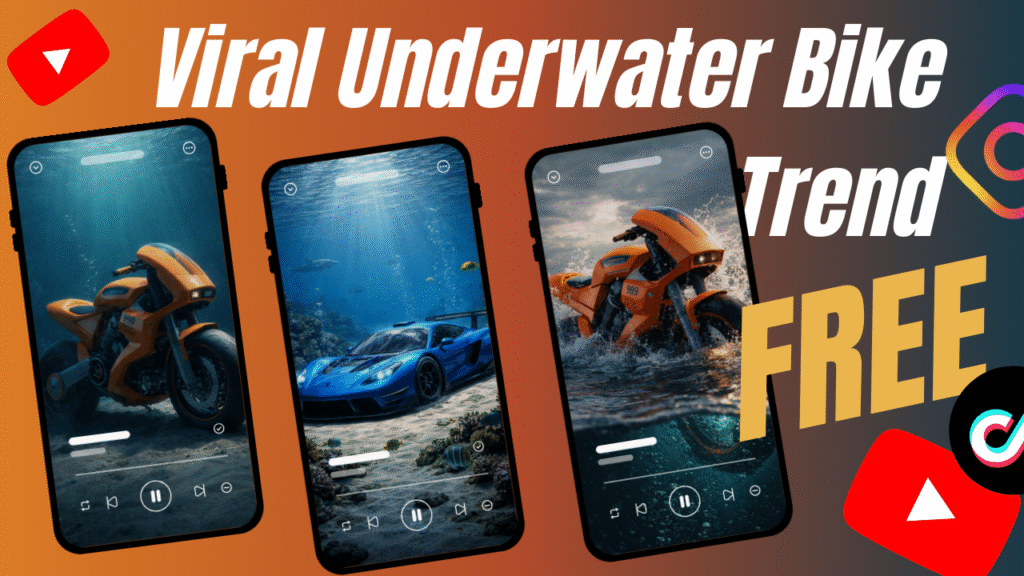
Scroll through social media for just 30 seconds.
You’ll see it.
A bike slowly sinking.
Light rays cutting through deep blue water.
Bubbles rising.
Silence.
Emotion.
Yes—viral AI underwater bike videos are everywhere.
And wait…
There is more.
These videos aren’t trending by accident. They combine cinematic storytelling, visual mystery, and AI-generated realism—a perfect formula for short-form virality. People stop scrolling because these visuals feel emotional, premium, and different.
Are you wondering how to do it yourself?
Don’t worry if you don’t have the budget to create AI videos.
This guide will show you a free, beginner-friendly, repeatable method to create trending AI underwater bike videos using only Sora, Grok Imagine, and CapCut PC.
And yes—it works in 2026.
A viral AI underwater bike video is a short cinematic clip where a motorcycle appears submerged in water—entering the ocean, sinking slowly, and finally resting on the seabed.
These videos are created using AI-generated images and AI video tools, not real underwater filming.
The reason they go viral is simple:
They feel cinematic
They look emotionally powerful
They trigger curiosity
They feel expensive but surreal
This is not just AI art.
This is AI storytelling.
To follow this method, you only need:
Sora (for generating underwater scene images)
Grok Imagine (for converting images into videos)
CapCut PC (for editing and combining scenes)
No underwater camera.
No paid software.
No complex setup.
This is why this method works even if you’re a beginner learning how to make AI videos.
Let’s break it down.
First—mystery.
People don’t immediately understand how the video was made.
Second—emotion.
A bike underwater feels symbolic, silent, and dramatic.
Third—realism.
Modern AI makes these scenes look shockingly real.
And this is not all.
These videos loop perfectly, which boosts watch time—something every algorithm loves.
That’s why creators using trending AI underwater bike videos are seeing rapid growth.
Now comes the part you’re waiting for.
Are you wondering how to do it?
Let’s go step by step.
This is where everything starts.
Open Sora and generate three separate images, each representing a different stage of the underwater journey.
You will create:
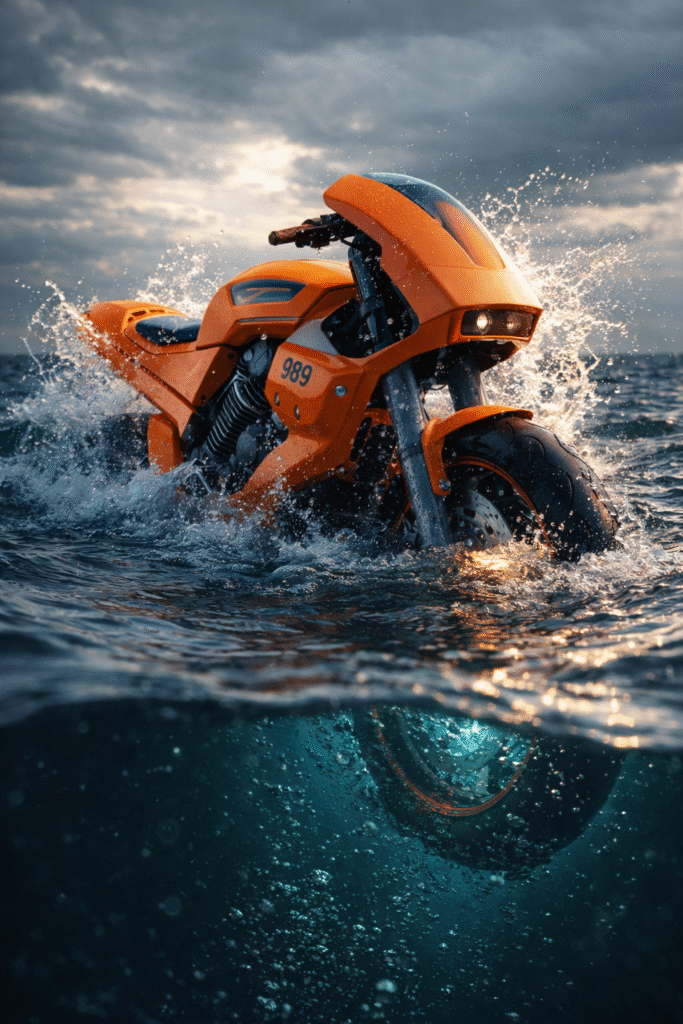
Bike entering the water
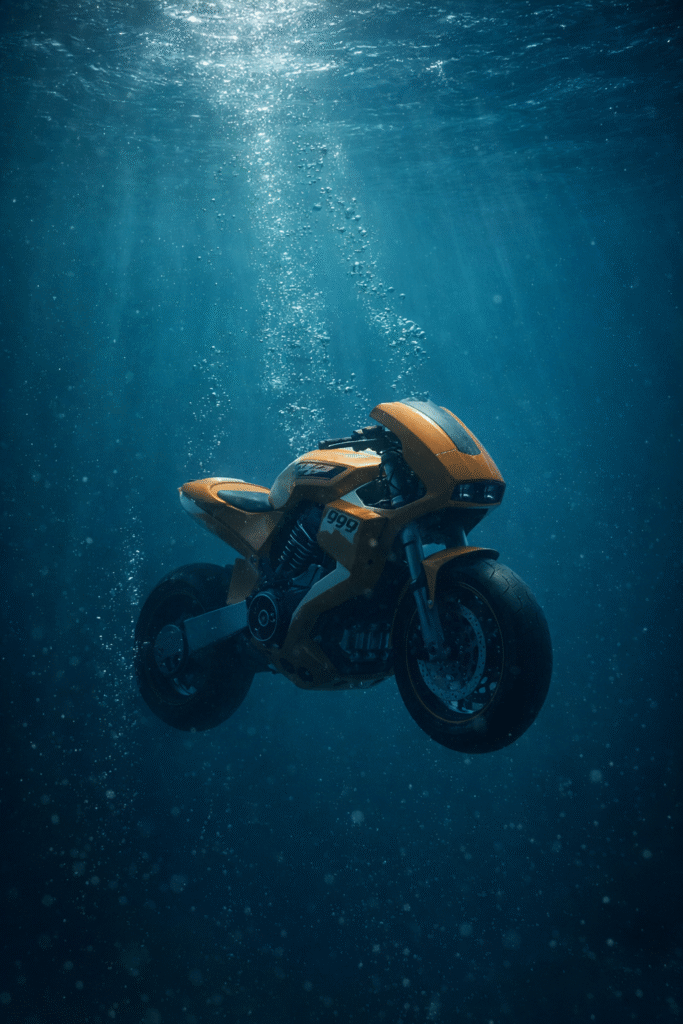
Bike sinking underwater
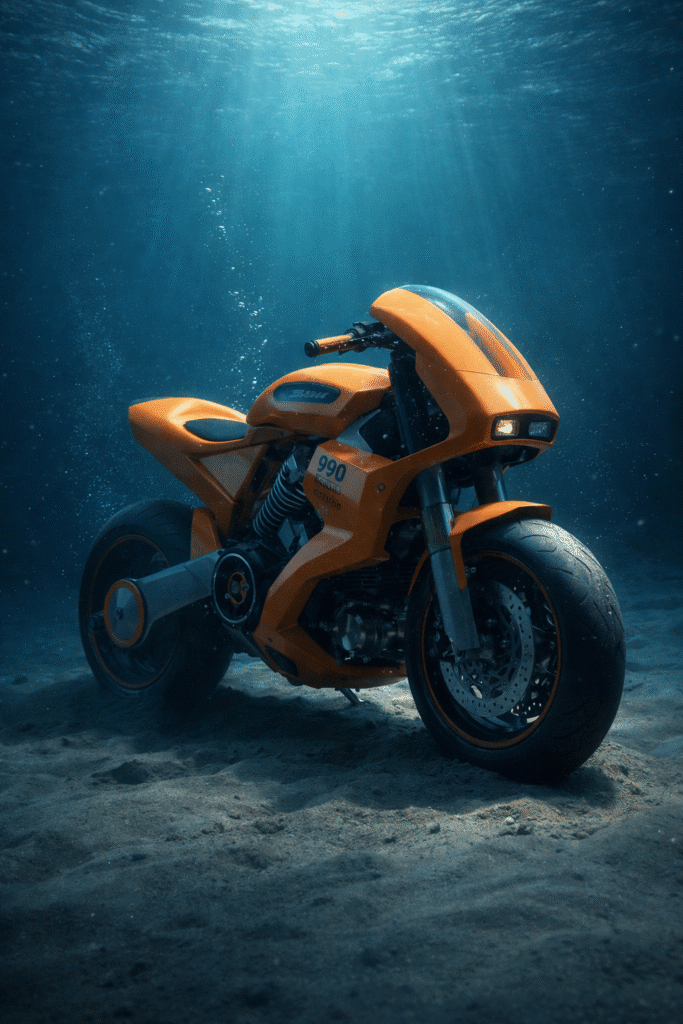
Bike resting on the ocean floor
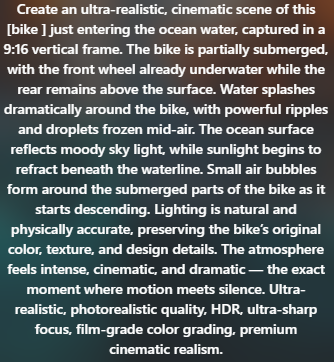
Image Generation Prompt Scene 1:
“Create an ultra-realistic, cinematic scene of this [bike ] just entering the ocean water, captured in a 9:16 vertical frame.
The bike is partially submerged, with the front wheel already underwater while the rear remains above the surface.
Water splashes dramatically around the bike, with powerful ripples and droplets frozen mid-air. The ocean surface reflects moody sky light, while sunlight begins to refract beneath the waterline. Small air bubbles form around the submerged parts of the bike as it starts descending.
Lighting is natural and physically accurate, preserving the bike’s original color, texture, and design details.
The atmosphere feels intense, cinematic, and dramatic — the exact moment where motion meets silence.
Ultra-realistic, photorealistic quality, HDR, ultra-sharp focus, film-grade color grading, premium cinematic realism.“
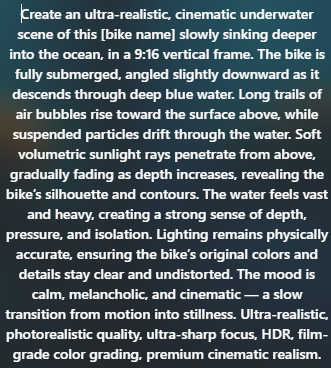
Image Generation Prompt Scene 2:
“Create an ultra-realistic, cinematic underwater scene of this [bike name] slowly sinking deeper into the ocean, in a 9:16 vertical frame. The bike is fully submerged, angled slightly downward as it descends through deep blue water. Long trails of air bubbles rise toward the surface above, while suspended particles drift through the water. Soft volumetric sunlight rays penetrate from above, gradually fading as depth increases, revealing the bike’s silhouette and contours. The water feels vast and heavy, creating a strong sense of depth, pressure, and isolation. Lighting remains physically accurate, ensuring the bike’s original colors and details stay clear and undistorted. The mood is calm, melancholic, and cinematic — a slow transition from motion into stillness. Ultra-realistic, photorealistic quality, ultra-sharp focus, HDR, film-grade color grading, premium cinematic realism.“
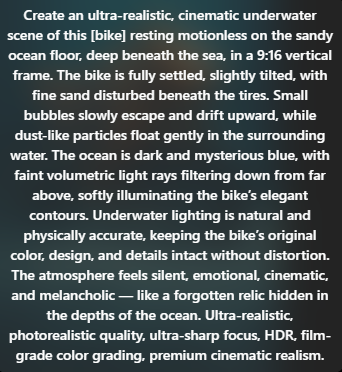
Image Generation Prompt Scene 3:
“Create an ultra-realistic, cinematic underwater scene of this [bike] resting motionless on the sandy ocean floor, deep beneath the sea, in a 9:16 vertical frame. The bike is fully settled, slightly tilted, with fine sand disturbed beneath the tires. Small bubbles slowly escape and drift upward, while dust-like particles float gently in the surrounding water. The ocean is dark and mysterious blue, with faint volumetric light rays filtering down from far above, softly illuminating the bike’s elegant contours. Underwater lighting is natural and physically accurate, keeping the bike’s original color, design, and details intact without distortion. The atmosphere feels silent, emotional, cinematic, and melancholic — like a forgotten relic hidden in the depths of the ocean. Ultra-realistic, photorealistic quality, ultra-sharp focus, HDR, film-grade color grading, premium cinematic realism.“
Write cinematic, ultra-realistic prompts for each scene.
Keep lighting dramatic.
Use vertical 9:16 format.
This is the foundation of your viral AI underwater bike video.
Wait—this is not all.
Make sure each image looks visually consistent so the transition feels smooth in video.
Above are all the prompts for 3 scenes.
Once Sora generates the images:
Choose the most realistic versions
Download them in the highest available quality
Name them clearly (Scene1, Scene2, Scene3)
High-quality images = better AI video output.
Never skip this step.
Now comes the magic.
Open Grok Imagine.
Upload each image one by one and generate videos.
You don’t need to write prompts here for the first generation.
Grok automatically animates the image with depth, motion, and realism.
Important tip:
Ignore the first test output if needed and regenerate until motion feels natural.
This step turns your static visuals into trending AI underwater bike videos.
Once Grok finishes generating:
Download each video clip
Check for smooth motion and lighting
Ensure consistency across scenes
You should now have three cinematic underwater clips.
Are you wondering how close this looks to real footage?
Very close.
Now open CapCut PC.
Import all three video clips and place them in sequence:
Entry into water
Sinking scene
Resting on seabed
Add:
Slow transitions
Subtle cinematic music
Optional underwater sound effects
Keep total duration between 10 –15 seconds for maximum virality.
This is a crucial step in how to make AI videos that perform well.
Export your video in:
9:16 format
High resolution
30 or 60 fps
Your viral AI underwater bike video is now ready to upload.
Now upload your final clip as a short.
Pro tip:
Use cinematic music
Add short captions
Keep it under 20 seconds
Shorter videos loop better.
And looping equals more reach.
Let’s be honest.
This is a free workflow.
So yes…
It takes:
Time
Patience
Trial and error
If you want to generate hundreds of AI videos daily, paid tools are faster.
But if you don’t have the budget to create AI videos…
This method works.
And it works well.
Many founders ask:
“What if I want longer ads?”
Here’s the honest answer.
With free tools:
You trade speed for cost savings
You trade scale for patience
You can:
Use multiple accounts (time-heavy)
Stack daily videos
Or upgrade later once ads start working
This free AI Video Generator method is not about speed.
It’s about momentum.
This workflow works because:
AI handles visuals
You control storytelling
Editing adds professionalism
There is more.
Short-form platforms prioritize:
Strong visuals
Fast storytelling
Emotional hooks
Hulk-style AI videos naturally fit this formula.
Many creators fail because they:
Use inconsistent lighting across scenes
Generate low-quality images
Rush the video generation
Over-edit in CapCut
Ignore vertical framing
Avoid these mistakes, and your trending AI underwater bike videos will instantly look more professional.
Before you start, keep these points in mind:
Always use original or AI-generated bike designs
Avoid copyrighted brand logos if monetizing
Don’t overuse effects
Respect platform AI usage policies
Test different variations for better reach
Responsible AI creation ensures long-term success.
Here are proven pro tips to boost performance:
Use slow camera movement for cinematic feel
Keep scenes under 5 seconds each
Use dark, high-contrast lighting
Add subtle underwater sound design
Test multiple versions of the same concept
Virality comes from experimentation.
Creating viral AI underwater bike videos also helps your brand because:
High engagement boosts profile authority
Unique visuals stand out in feeds
AI video content is favored in 2026
Reusable content saves time
Scales across platforms easily
This is why creators learning how to make AI videos are growing faster than ever.
One powerful trick that most creators miss when making a viral ai underwater bike video is sound design. Even though the visuals are AI-generated, adding subtle underwater ambience, deep bass rumbles, slow bubble sounds, or muffled engine echoes in CapCut can instantly elevate the perceived quality. This small step makes your trending ai underwater bike content feel immersive and cinematic, increasing watch time and shares. Remember, visuals hook attention—but sound locks viewers in and boosts virality.
The future of content creation belongs to creators who understand how to make AI videos creatively—not expensively.
Trending AI underwater bike videos prove that storytelling matters more than tools. With the right prompts, patience, and consistency, you can dominate short-form platforms using AI alone.
And remember—
This is just the beginning.
The viral AI underwater bike trend is one of the most powerful AI video formats in 2026. By using free tools like Sora and Grok Imagine, you can create cinematic underwater bike videos that look premium and emotional.
Key takeaways:
Use Sora for image creation
Use Grok Imagine for video generation
Edit in CapCut PC
Keep videos short and cinematic
Experiment for virality
At Samin AI Marketing Hub, we built our entire CGI advertising framework around one core insight: why AI ads are getting worse is not a technology issue—it’s a brand strategy failure. That’s why we don’t start with effects, prompts, or automation. We start with brand perception, buyer psychology, and conversion intent. Before a single frame is generated, we map your beauty brand’s positioning, price point, target audience, and emotional triggers. This ensures every AI ad we create reinforces trust, elevates perceived value, and supports sales—not just views.
We believe why AI ads are getting worse has nothing to do with AI tools—and everything to do with missing brand intelligence. Most ads fail because they start with effects instead of strategy. We reverse this completely.
Before creating any AI visuals, we define:
Brand positioning (luxury, masstige, indie, or clinical beauty)
Target buyer psychology and buying triggers
Price perception and value signaling
Platform-specific ad intent (paid ads vs organic virality)
Conversion goal (trust, education, or purchase)
This strategic foundation ensures every AI CGI ad supports brand perception first, not visual chaos. By anchoring creativity to intent, we eliminate the core problem behind why AI ads are getting worse and build ads that feel premium, intentional, and trustworthy to beauty consumers.
Once strategy is locked, we use AI as an enhancement layer—not a decision-maker. This is where most brands fail and why AI ads lose credibility. Our process is human-directed, conversion-focused, and realism-driven.
Our AI execution framework focuses on:
Studio-grade lighting to maintain luxury perception
Realistic material and texture simulation (glass, liquid, cream, shimmer)
Clear product hierarchy so the product remains the hero
Controlled motion that feels natural, not exaggerated
Camera angles designed to increase perceived product quality
Visual pacing aligned with beauty buying psychology
By blending AI speed with human creative control, we avoid the pitfalls that explain why AI ads are getting worse across the industry. The result is AI advertising that builds trust, supports sales, and protects long-term brand equity—especially for beauty brands targeting premium and U.S. markets.
At Samin AI Marketing Hub, we don’t chase viral visuals.
We build brand-safe AI ads that convert attention into revenue.
Ready to start creating viral, high-converting AI video ads for your brand? Join my AI Video Ads Mastery Course and learn how to create cinematic ads in minutes: no studio, no actors, no editing skills needed.
 Enroll now and transform the way you market in 2026.
Find quick answers to the most common questions about How to Create Viral VIRAL AI UNDERWATER BIKE VIDEO FREE? And discover how this simple editing step can instantly make your content more engaging, professional, and ready to grab attention in 2026.
A cinematic AI-generated video showing a bike submerged underwater, created using AI tools instead of real filming.
Yes. Using Sora, Grok Imagine, and CapCut PC allows you to create them without spending money.
You do not need advanced editing skills to create a VIRAL AI UNDERWATER BIKE VIDEO, but having basic editing knowledge is important. Tools like CapCut PC are specifically designed for beginners, offering drag-and-drop timelines, ready-made effects, transitions, and text animations. With a basic understanding of cutting clips, aligning scenes, adding music, and applying simple effects, anyone can assemble a polished video. As you gain more experience, you can gradually improve pacing, storytelling, and visual flow, but technical complexity is not a barrier to getting started.
How long does it take to create one video?
On average, creating a single AI UNDERWATER BIKE VIDEO takes FEW MINUTES, depending on the number of scenes and the level of detail involved. Simple videos with fewer shots and minimal effects can be completed faster, while more cinematic videos with multiple angles, transitions, and visual enhancements may take longer. The time is usually split between generating AI visuals, selecting the best outputs, and assembling everything in an editor. As you repeat the process and refine your workflow, production time typically decreases significantly.
Can I monetize these videos?
Yes, you can monetize these videos, provided the characters and visuals you create are original and do not infringe on copyrighted intellectual property. By designing unique characters, names, and storylines, you avoid legal issues and maintain full ownership of your content. These videos can be monetized through social media platforms, content licensing, brand collaborations, digital products, or ad-driven revenue models. Original AI-generated characters also open the door to long-term branding opportunities, allowing creators to build recognizable identities and recurring content series.
Can I really create quality AI video content without professional skills?
Yes — with the right prompt and sequence of tools, you can generate AI video content that looks polished and cinematic. Using Sora to generate a high-quality image, PixVerse for animation, and then removing the watermark with VMake.ai, you can perform effective AI video creation even as a beginner.
Why are underwater AI videos trending?
Viral AI underwater bike videos are trending because they combine cinematic visuals, mystery, and impossible scenarios that instantly grab attention. The contrast of a powerful bike resting underwater triggers curiosity, which is why these videos perform extremely well on Reels, Shorts, and TikTok.
Do I need paid tools to create a viral AI underwater bike video?
No, you can create a trending ai underwater bike video completely free using tools like Sora for image generation and Grok Imagine for video animation. Paid tools only speed up the process, but they are not required.
How long should an AI underwater bike video be for best results?
For maximum engagement, keep your viral ai underwater bike video between 5–8 seconds per scene. Short, cinematic cuts perform better on social media and increase completion rate.
Can beginners follow this method to learn how to make AI videos?
Yes, this method is beginner-friendly and ideal for anyone learning how to make ai videos. The step-by-step workflow removes technical complexity and focuses on visual storytelling.