



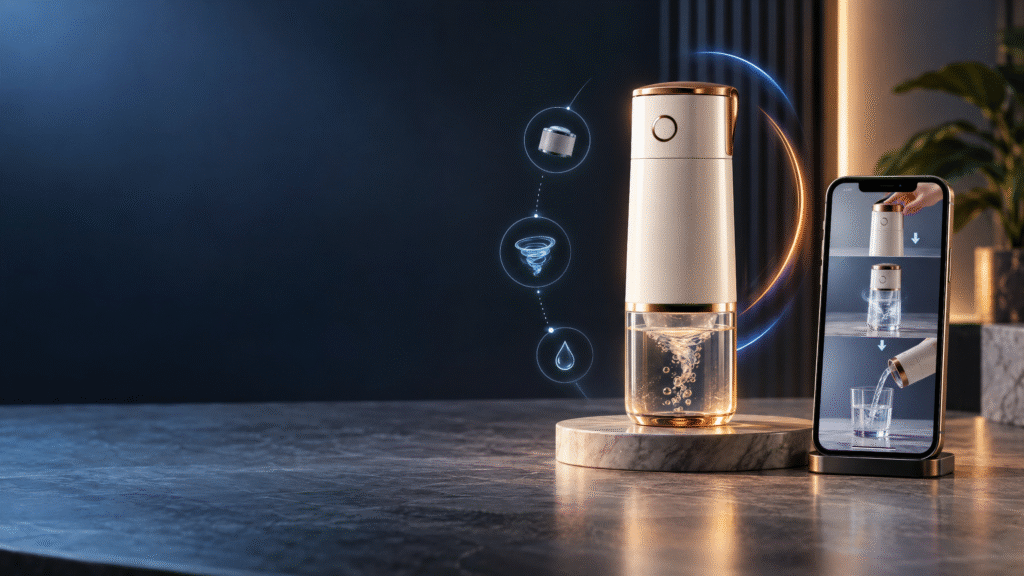
Online shoppers want to understand how a product works before they buy it. A photograph can show appearance, but it may not explain size, movement, setup, texture, or the way an item fits into a
customer’s routine.
AI product demo videos for ecommerce brands show products in use, answer buyer questions, and help shoppers buy with confidence.
That is why AI product demonstration videos for ecommerce brands can be a valuable part of a digital marketing campaign. A short demonstration can show the product in use, answer a common question, and help a customer understand the main benefit before visiting the product page.
AI-assisted production can support scripts, storyboards, product scenes, animation, voiceover, captions, and multiple creative variations. The finished video still needs to be accurate, useful, and connected to the real product. A visually impressive demonstration should never show a function or result that the product cannot deliver.
AI product demo videos for ecommerce brands help shoppers understand how products work before they buy. Instead of relying on product photos alone, a clear demonstration can show the item in use, explain an important feature, answer a common buyer question, and help customers feel more confident about their purchase. AI-assisted production can support the script, storyboard, product scenes, captions, voiceover, and creative variations while keeping the real product at the center of the video.
What are AI product demonstration videos?
AI product demonstration videos are promotional videos that use artificial intelligence during part of the creative or production process to show how a product looks, works, or fits into a customer situation.
AI may support concept development, visual environments, animation, editing, presenter delivery, captions, or voiceover. The video may use real product footage, generated scenes, CGI elements, UGC-style presentation, or a combination of formats.
The purpose is simple: help the audience understand the product more quickly and confidently.
Why product demonstrations help ecommerce brands
Customers cannot hold an online product before ordering it. A demonstration can reduce uncertainty by showing details that are difficult to communicate through text alone.
A useful product video can:
•Show how the product is used
•Explain one important feature
•Demonstrate size, movement, or setup
•Answer a common customer question
•Show the product in a realistic situation
•Give social advertising a clearer message
•Support the product page and sales journey
A demonstration should complement product descriptions, reviews, specifications, policies, and customer support. It should not replace accurate written information.
7 proven ways to use product demonstration videos
1. Show the product in its real use case
The most direct demonstration shows the product doing what customers expect it to do. Place the product in a realistic situation and let the viewer see the steps clearly.
For example, a kitchen product can be shown during preparation, a technology product can be shown during setup, and a home product can be shown in the room where customers are likely to use it.
Keep the scene relevant. A visually dramatic setting may attract attention, but it should not make the product’s purpose unclear.
2. Explain one feature at a time
Some products have several features that deserve explanation. Instead of putting everything into one crowded video, create a series of focused demonstrations.
One video might show convenience. Another might explain an adjustable feature. A third might compare available options. This approach gives each video one clear message and creates more useful campaign assets.
3. Answer a common buyer question
Use customer questions as content ideas. Review comments, support messages, product reviews, and sales conversations to find what shoppers want to know before buying.
Questions might include:
•How is the product used?
•What size is best for a particular situation?
•How long does setup take?
•What is included in the package?
•How should the product be cleaned or stored?
•Which variant is right for the customer?
A short answer led video can be useful on a product page and in retargeting campaigns.
4. Show scale and dimensions
Product size is difficult to understand from an isolated image. A demonstration can show the product beside a familiar object, in a room, in a hand, or in the customer environment.
Keep the scale accurate. Generated scenes can make items appear larger or smaller than they really are, which may create disappointment after purchase.
5. Demonstrate setup and preparation
Some products require assembly, installation, preparation, charging, or another first step. A clear demonstration can make the product feel easier to use.
Break the process into simple stages. Use captions or voiceover where the viewer needs additional guidance. If the full instructions are longer, link the video to a detailed guide or help page.
For behind-the-scenes preparation and packaging content, also see AI process ads for ecommerce brands.
6. Compare product options responsibly
A demonstration can help customers understand the difference between sizes, colors, models, bundles, or product versions.
Only show differences that are real and relevant. Avoid presenting one option as universally better when the correct choice depends on the customer’s needs.
7. Use a presenter to guide the demonstration
A presenter-led demonstration can add a clear human explanation to product visuals. The presenter may introduce the product, explain the steps, and finish with a call to action.
For a dedicated presenter-led approach, see AI spokesperson ads for ecommerce brands.
The presenter should not claim to be a real customer or imply personal experience that does not exist. Keep the script factual and transparent.
A simple structure for a demonstration video
Opening
Start with the product, the customer question, or the problem the demonstration will solve.
Product introduction
Make the product and brand clear. Show the item early rather than delaying the reveal.
Demonstration
Show the main steps, feature, use case, or comparison. Keep the sequence easy to follow.
Benefit
Explain why the demonstration matters. Connect the feature to a customer outcome without making unsupported promises.
Call to action
Tell the viewer what to do next. The action may be to shop, view details, compare options, explore a collection, or contact the business.
Choosing the right visual format
Different products need different creative formats.
UGC-style demonstration
A UGC-style video can feel direct and relatable. It may work well when the customer wants to see a product explained in a familiar, informal way. Explore AI UGC ads when a creator-style presentation fits the brand.
CGI demonstration
A CGI approach can explain a product through close-ups, exploded views, animations, or a stylised environment. It may suit products that benefit from visual precision or a premium launch aesthetic. See AI CGI ads for a related creative direction.
Story-led demonstration
A story-led video shows the product in a customer routine or situation. It can help the audience understand not only how the product works but also why it matters. Related ideas appear in AI storytelling ads for ecommerce brands.
Short-form social demonstration
A short vertical video can focus on one hook, feature, or customer question. Keep captions readable, show the product early, and end with a clear action.
Process-led demonstration
A process video can explain how a product is made, prepared, checked, or packaged. This is useful when the process itself supports the product’s value.
Keeping AI demonstrations accurate
AI-assisted visuals can accidentally change product details. Before approving a video, compare it with the actual product and approved brand assets.
Check:
•Shape and proportions
•Product color
•Packaging and labels
•Materials and textures
•Buttons, ports, or components
•Size and scale
•How the product is used
•What comes in the package
•Claims about performance
•Pricing and availability
Do not publish a demonstration showing a function that the product does not have. Accuracy protects customer trust and reduces avoidable complaints.
How to write a demonstration script
Write the script around one customer question or one product benefit. Use short sentences that sound natural when spoken aloud.
A useful structure is:
Want to know how works? First, [accurate step]. Next, [accurate step]. This helps you [supported customer benefit]. See the full product details and choose the option that suits you.
The structure should be adapted to the actual product. Remove any claim that cannot be verified.
Designing for mobile viewers
Many product demonstrations will be watched on phones. Plan the composition for a small screen.
Use:
•Large enough product shots
•High-contrast captions
•Short scenes
•Clear visual steps
•Safe space around platform controls
•A strong opening moment
•A call to action that remains visible long enough to read
Also make the video understandable without sound. Captions and visual demonstration help people follow the message when audio is disabled.
What to include in the production brief
Give the creator enough information to show the product correctly:
1.Approved product images or footage
2.Product name and variants
3.Dimensions and specifications
4.The target customer
5.The main question or benefit
6.Approved claims
7.Brand colors and visual guidelines
8.Intended platforms and aspect ratios
9.Voiceover and caption requirements
10.Desired call to action
11.Scenes or claims to avoid
12.Required delivery formats
A clear brief usually produces better results than a broad request for a “viral” video.
Common mistakes to avoid
Showing too many features
A crowded video makes the audience work too hard. Focus on one demonstration or create a series of focused videos.
Delaying the product reveal
Show the product early so viewers understand the subject of the advertisement.
Using unrealistic product behavior
Creative effects should not alter what the product actually does.
Forgetting the landing page
The product page should match the video’s message, offer, and product variation.
Using unsupported claims
Avoid guaranteed results, exaggerated performance, false testimonials, and misleading comparisons.
Ignoring different screen sizes
A video that works on a large screen may be difficult to follow on a phone. Review the final edit in the format where it will be published.
How to review the finished video
Before publishing, ask:
•Is the product clear in the opening seconds?
•Does the demonstration answer a real buyer question?
•Are the steps accurate and easy to follow?
•Is the product shown at the correct scale?
•Are captions readable?
•Does the video work without sound?
•Are the claims supported?
•Are AI-generated scenes or presenters used responsibly?
•Is the call to action clear?
•Does the destination page match the video?
For more examples of the brand’s creative work, visit the Samin AI Marketing Hub portfolio.
How Samin AI Marketing Hub creates product demonstration videos
Samin AI Marketing Hub creates AI video advertising for ecommerce brands, including product demonstrations, AI process ads, AI UGC ads, , storytelling ads, short video ads, and AI spokesperson ads.
A product demonstration campaign can be planned around a customer question, a feature, a setup process, a product comparison, or a realistic use case. The right format depends on the product, audience, platform, and campaign goal.
Brands should provide approved product assets, accurate specifications, brand guidance, permitted claims, and the desired action for viewers. The result should be attractive, easy to understand, and consistent with the real product experience.
Final thoughts
AI product demonstration videos for ecommerce brands can make online products easier to understand before a customer buys. They can show use, explain features, answer questions, and connect product details to real customer situations.
Start with one question and one clear demonstration. Show the product accurately, design for mobile viewing, use readable captions, and finish with a relevant call to action.
To discuss a product demonstration campaign, book a consultation with Samin AI Marketing Hub.
Frequently asked questions
What are AI product demonstration videos for ecommerce brands?
They are promotional videos that use AI-assisted production to show how an ecommerce product looks, works, or fits into a customer situation.
Can AI demonstrate a real product accurately?
Yes, when the production uses approved product assets and the final video is carefully reviewed. Generated scenes must not change important product details or show unsupported functions.
Are product demonstration videos useful for social media?
Yes. A short demonstration can focus on one feature, customer question, or use case. The video should be adapted for the platform, screen size, captions, and audience.
Should a demonstration video have a voiceover?
Voiceover can help explain steps, but it is not always necessary. Clear visuals and captions may communicate the message effectively, especially when viewers watch without sound.
What is the difference between a product demonstration and a process ad?
A product demonstration focuses on how the customer uses or understands the product. A process ad focuses on how the product is made, prepared, checked, or packaged.