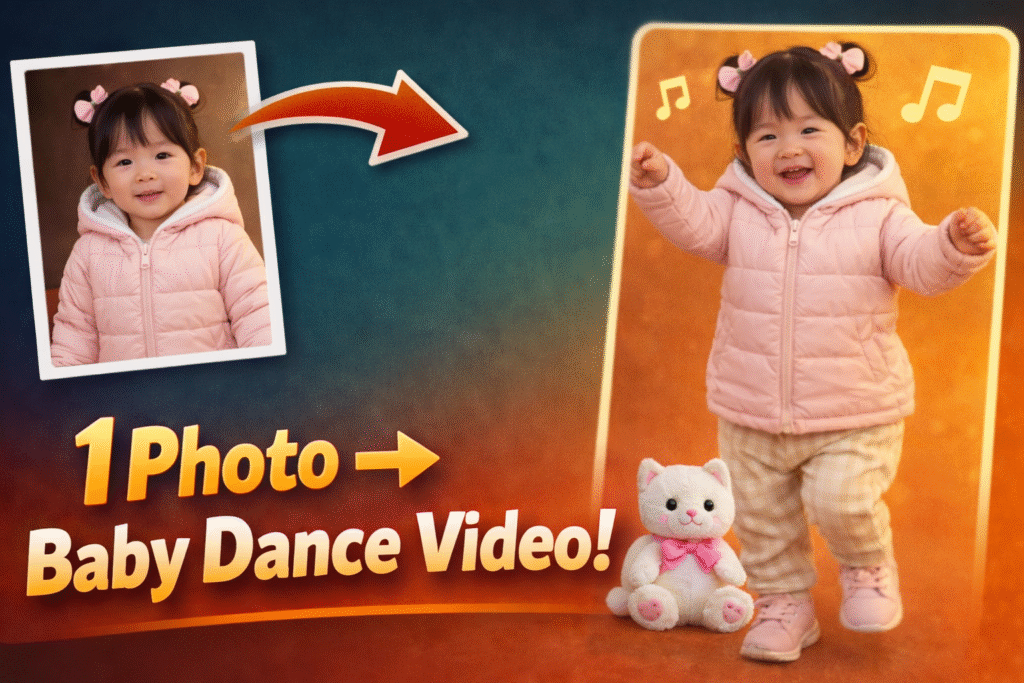

Viral AI videos are everywhere, and one trend that keeps exploding on TikTok, Instagram Reels, and YouTube Shorts is the AI baby dance. These adorable, animated baby videos grab attention instantly, spark shares, and often reach millions of views.
The best part?
You don’t need advanced software or professional skills.
With Kling AI, you can turn a single photo into a dancing baby video using ready-made motion templates. In this guide, I’ll walk you through the exact step-by-step process to create an AI baby dance video quickly and easily.
An AI baby dance video uses artificial intelligence to animate a baby (or baby-style character) from a still image. The AI applies realistic dance movements, expressions, and body motion, making the baby look like it’s actually dancing.
These videos work so well because they are:
-
Cute and emotional
-
Instantly scroll-stopping
-
Highly shareable
-
Perfect for short-form platforms
AI baby dance videos perform exceptionally well because:
-
Babies trigger emotional engagement
-
Dance adds movement and entertainment
-
AI animation feels magical and surprising
-
Short, fun content matches social media algorithms
This makes AI baby dance videos ideal for creators, meme pages, marketers, and anyone experimenting with viral content.
Follow these simple steps to create your own viral AI baby dance video.
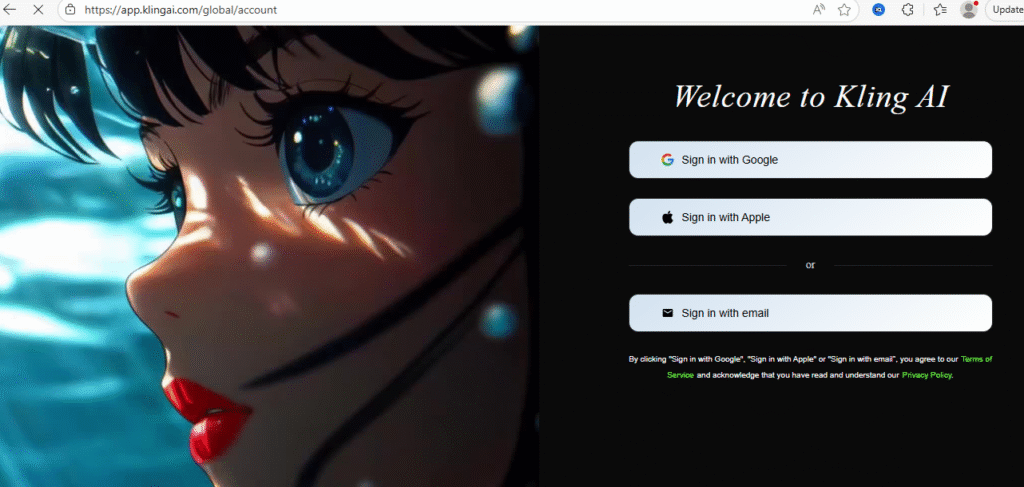
First, visit Kling AI and log in to your account.
Once logged in, you’ll see the main dashboard.
After logging in.
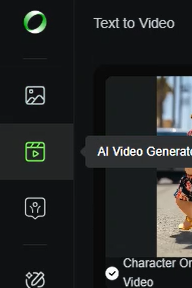
From the dashboard:
-
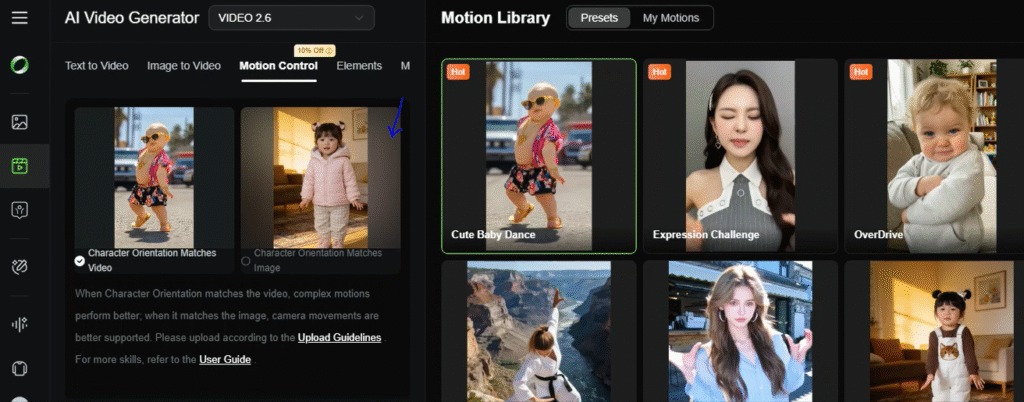
Click on Video
-
This section allows you to generate animated videos from images using AI
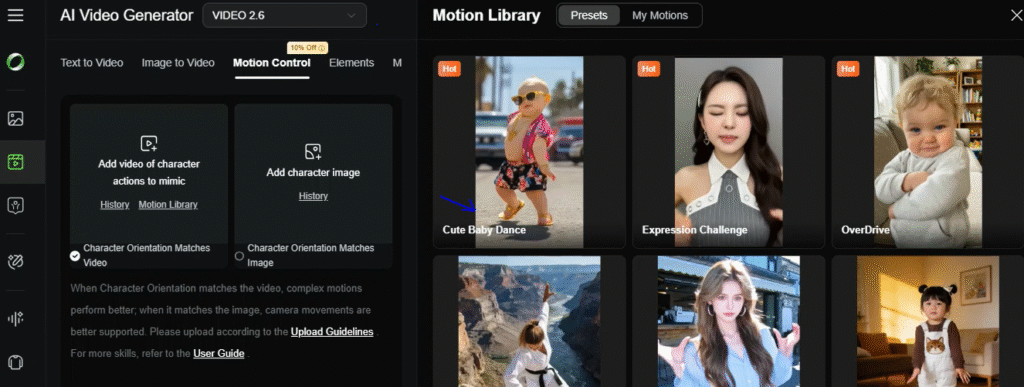
Inside the video section:
-
Click on Motion Control
-
Browse through the available templates
Look for the Cute Baby Dance template, which is specially designed for this viral trend.
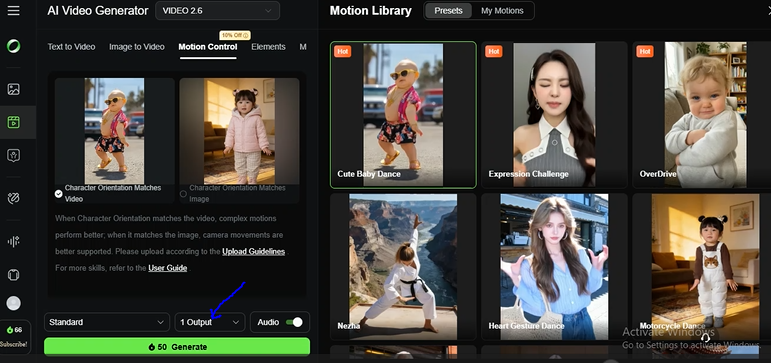
Select the Cute Baby Dance motion template.
This template already includes:
-
Pre-built dance movements
-
Smooth body animation
-
Fun, playful motion timing
This is what makes the AI baby dance look natural and engaging.
Now:
-
Upload your own image
-
The image can be a baby photo, character image, or stylized portrait
For best results:
-
Use a clear, front-facing image
-
Make sure the face is visible
-
Avoid heavy blur or extreme angles
Once the image is uploaded:
-
Click Generate
-
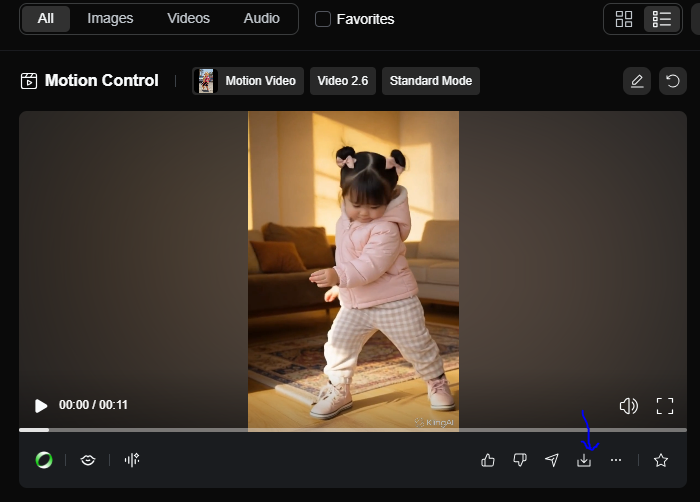
Kling AI will process the image and apply the baby dance animation
This usually takes a short time.
Common Mistakes to AvoidCommon Mistakes to AvoidTo increase reach and engagement:
-
Keep the video short (5–10 seconds)
-
Add trending music on TikTok or Reels
-
Use fun captions and emojis
-
Post at peak engagement times
-
Use hashtags related to AI baby dance and viral videos
-
Using low-quality or blurry images
-
Choosing the wrong motion template
-
Over-editing after generation
-
Uploading images with covered faces
-
Ignoring platform-specific formats
Avoiding these mistakes helps your AI baby dance video look cleaner and more professional.
Start with Strategy: Define what you want AI to solve, not just what it can do.
Segment Smartly: Use AI to tailor messages to real audience groups.
Personalize Experiences: Implement AI product recommendations and AR try-ons.
Invest in Quality Data: AI performs only as well as the data you feed it.
Balance Automation and Human Touch: Hybrid systems win trust.
Test AI Video Ads: Tailored videos convert best.
Use Chatbots Strategically: They should complement not replace support.
Monitor Ethics & Privacy: Build trust, avoid backlash.
Measure Conversions, Not Impressions: Focus on sales impact.
Iterate and Learn: AI thrives on feedback loops.
The AI baby dance trend proves that simple, emotional, and fun content still wins on social media. With Kling AI’s motion templates, anyone can turn a single image into a viral video in minutes.
If you’re looking to experiment with AI video creation, boost engagement, or just have fun with trending content, AI baby dance videos are one of the easiest places to start.
- AI spreading Logos on Toast AI AD Free
- Viral Skyfall AI Videos Free using 2 AI Tools
- Viral Healthy tips AI Videos using FREE AI Tools
- Viral AI underwater Bike Videos using Free AI
- Viral AI Feeding Food Videos Step by Step Guide
- 90s Actress AI Trend 2026 Step by Step Tutorial
- Viral Cat AI Videos Free 2026
- AI BTS Viral Trend Instagram Reels 2026
- Viral AI Baby Dance video using Kling AI
- How to create Dhurandhar AI BTS Viral Video using Free AI tools in 2026
Ready to start creating viral, high-converting AI video ads for your brand? Join my AI Video Ads Mastery Course and learn how to create cinematic ads in minutes: no studio, no actors, no editing skills needed.
Enroll now and transform the way you market in 2026.
Find quick answers to the most common questions about How to create Viral AI Baby Dance Video? And discover how this simple editing step can instantly make your content more engaging, professional, and ready to grab attention in 2026.
An AI baby dance video is an animated video created from a photo using AI motion templates that make the baby appear to dance.
No. Kling AI handles the animation automatically.
AI advertising uses automation, data science, and machine learning to dynamically optimize campaigns, while traditional advertising relies on manual planning and static messaging.
Can I use my own images?
Yes. They are highly engaging and often go viral on TikTok, Instagram Reels, and Shorts.
Is Kling AI beginner-friendly?
Absolutely. The interface is simple and designed for beginners.