


In the first part of this series, we learned how AI video ads are changing online marketing. We saw how smart software can create short, catchy ads that help online stores reach millions of people.
Now, in Part 2, we’ll go one step further. We’ll learn exactly how to use CapCut’s AI tools to create your own eCommerce video ads — from idea to upload — in just a few steps.
CapCut started as a simple video editing app, but by 2026, it has become one of the most powerful AI video ad tools for eCommerce creators. Owned by the same company as TikTok. CapCut now includes full AI support for:
-
Scriptwriting
-
Scene generation
-
Product ad templates
-
Auto captions
-
Voiceovers
-
Smart resizing for TikTok, Instagram, YouTube, and Shopify videos
This makes CapCut perfect for small business owners who want to create AI video ads for eCommerce marketing quickly even without video editing experience.
Here’s why CapCut AI tools are a favorite among eCommerce creators in 2026:
-
Easy to use: Just drag, drop, and type a short prompt.
-
AI auto-editing: The AI arranges clips, adds music, and syncs everything perfectly.
-
Smart templates: Hundreds of ready-made ad templates for products (fashion, skincare, tech, home goods, etc.).
-
Brand tools: You can upload your logo, brand colors, and fonts once — the AI remembers them.
-
Platform optimization: CapCut auto-exports the right version for each platform (TikTok, Instagram Reels, YouTube Shorts, and even Shopify product pages).
Let’s go through the entire process together.
We’ll imagine you run an online store that sells eco-friendly water bottles — and you want to make a short AI video ad to promote your new collection
Go to CapCut.com or open the CapCut desktop.
First click, Try online.
If you’re new, create a free account. The pro plan gives extra features, but you can do a lot even with the free version.
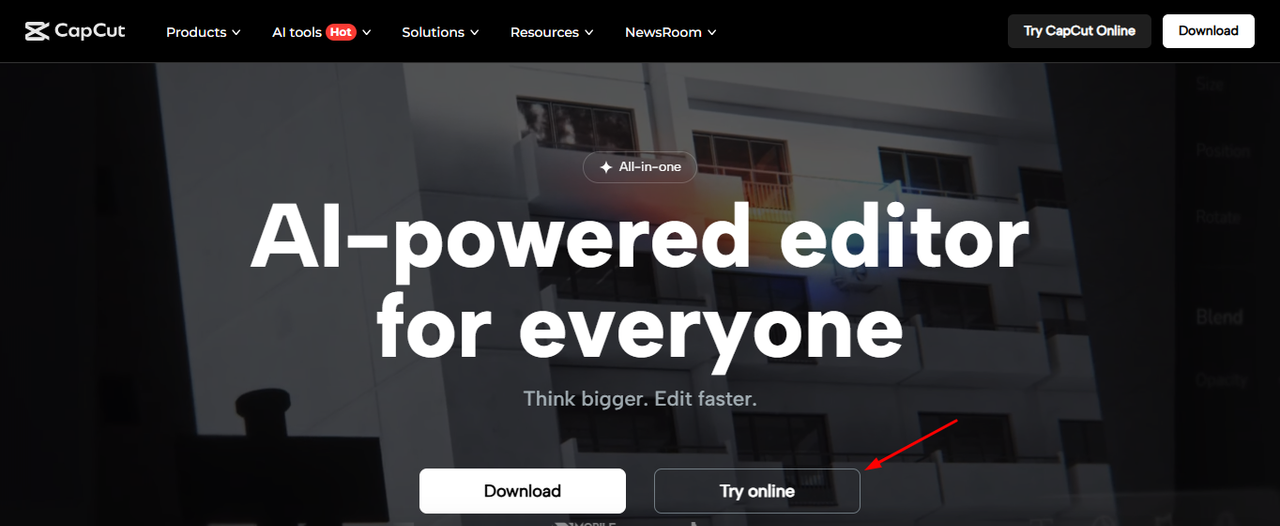
Here, you will see different options for login. You can login using Google, FaceBook, or TikTok.
Choose any methoid feasible to you.
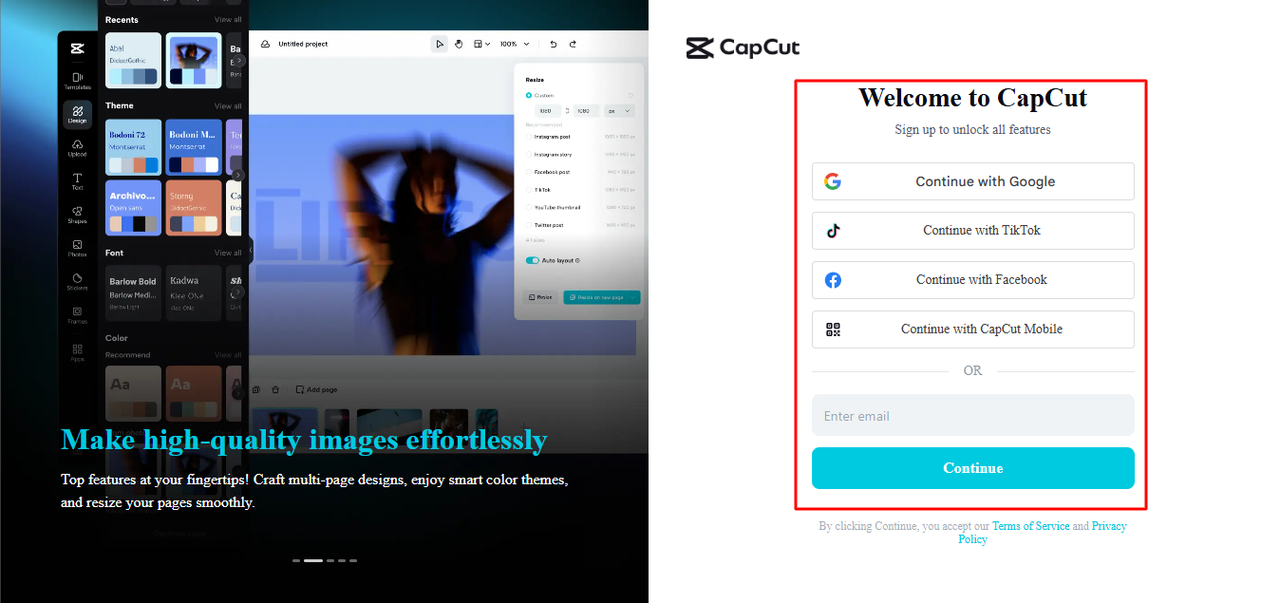
Once you are logged in to your account, you will see a bar on your left side. From there, under the “AI tools”, Choose “All Tools”. And Click on it.
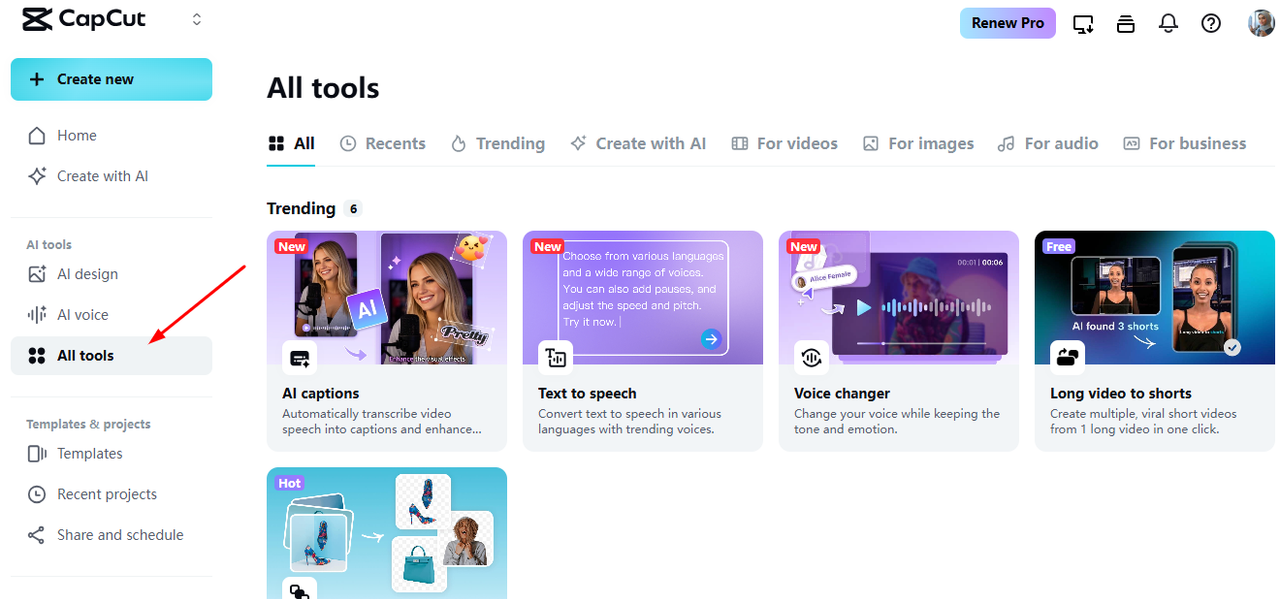
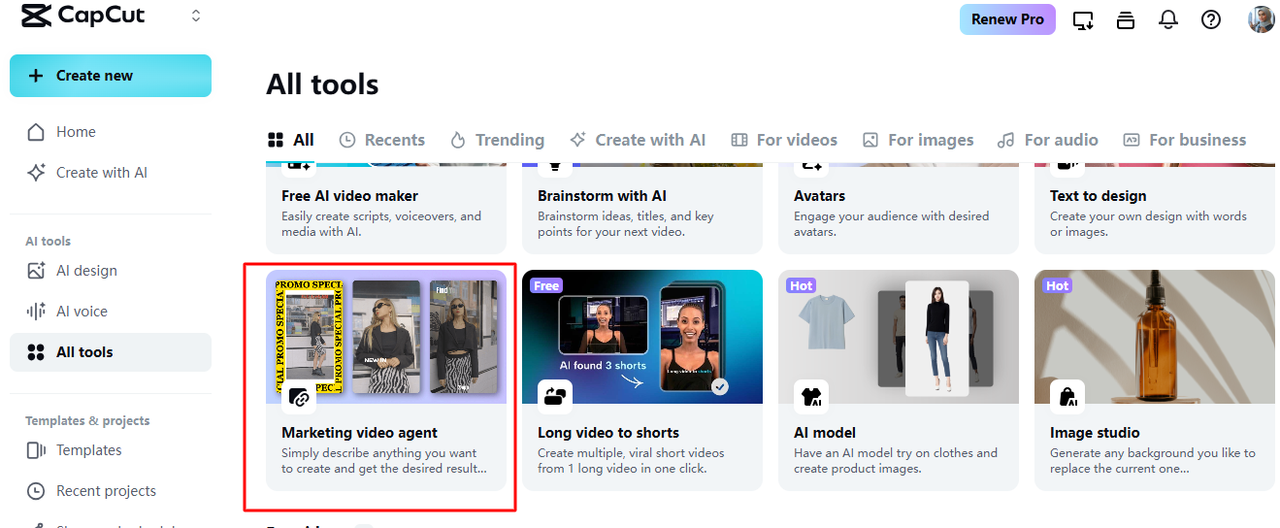
After selecting all tools, you will see different AI images, voices and video options. Click on “Marketing Video agent” as shown below in the picture.
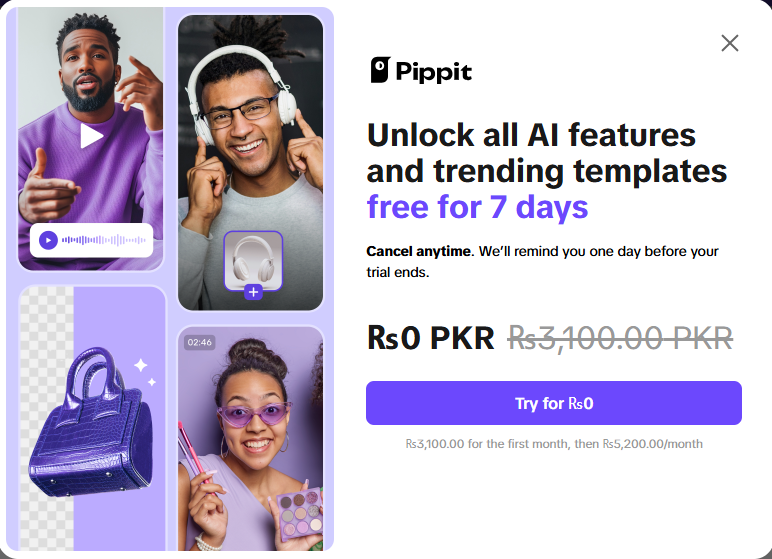
After selecting “Marketing Video Agent”. You will be redirected to Pippit which is also part of CapCut. And this screen will pop on it. Clock on “Try for Rs 0”.
Once logged in using same account. Click on “Video Generator” and this screen will appear. Here you will see different options for video generation. On a Free Account, you get 150 credits each week. And you can generate 9 ads using these 15 credits for your product in a way I am going to tell you.
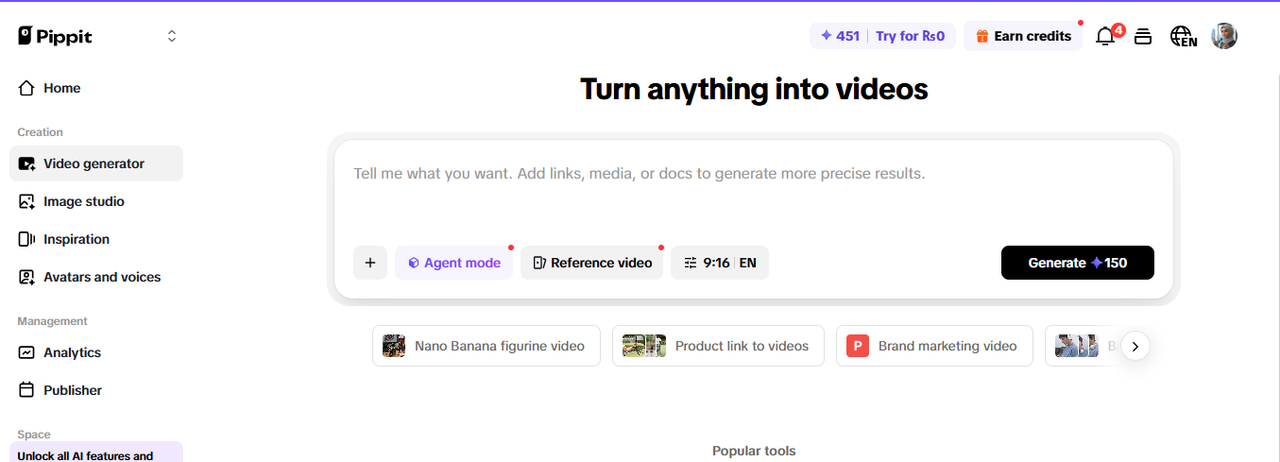
Now, tell the AI what you want your ad to look like in one or two sentences.
Example prompt:
“Create a 15-second ad showing a young person filling a stylish green water bottle, slow-motion water pour, upbeat background music, text overlay ‘EcoSmart Bottle – Drink Clean. Live Green.’ Show the logo at the end.”
Upload your logo from “+” icon.
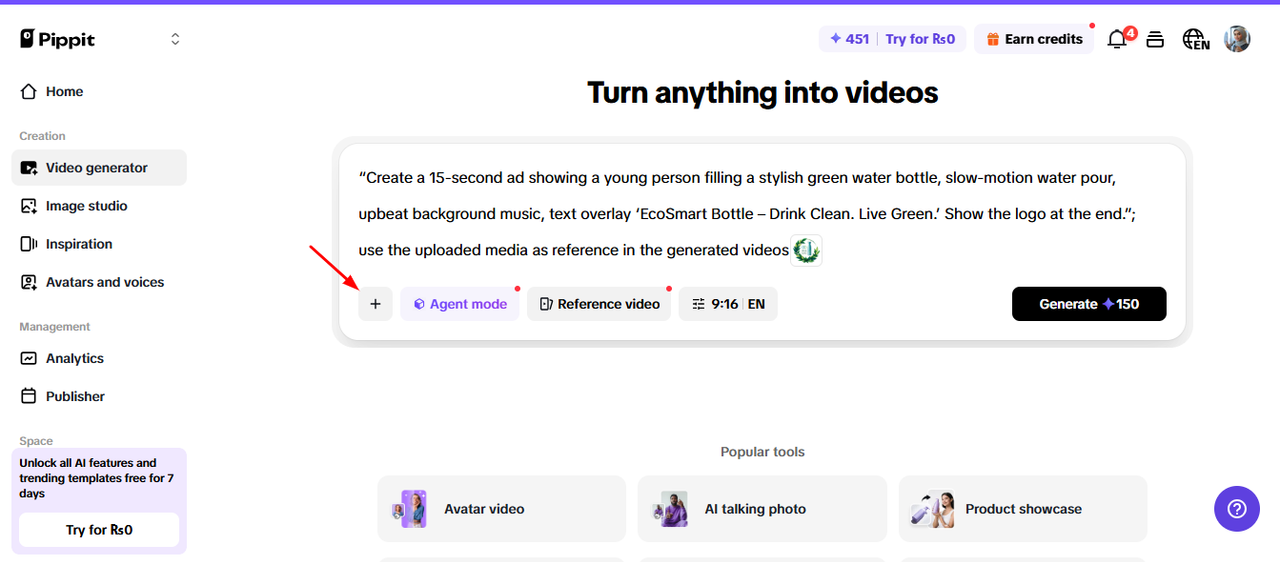
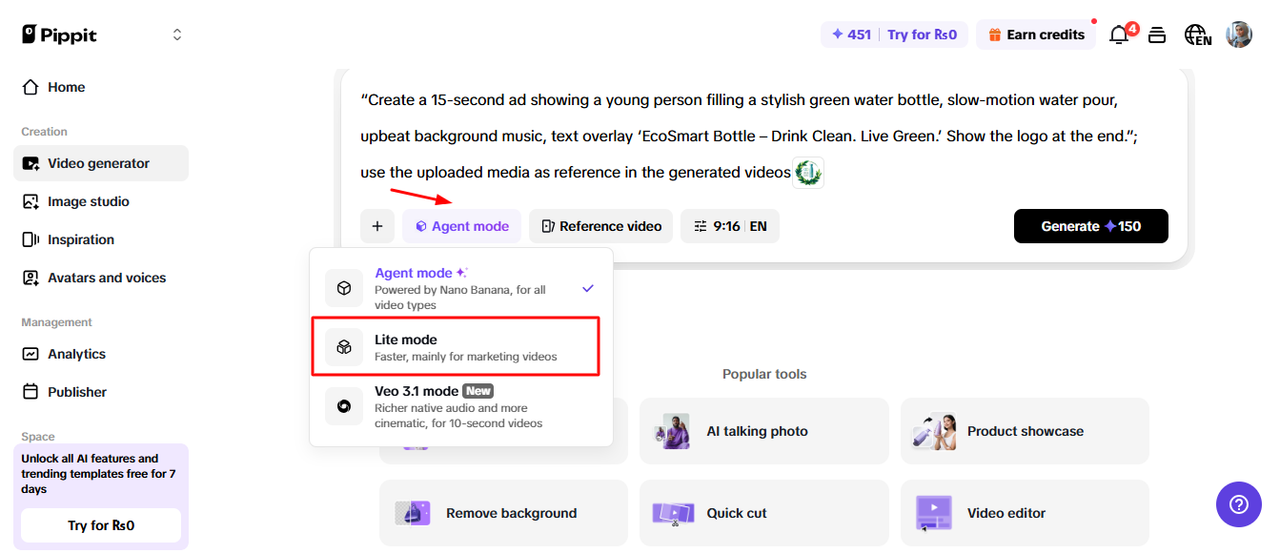
Now, click on “Agent Mode” and from drop down menu, select “Lite Mode” because this is for marketing videos.
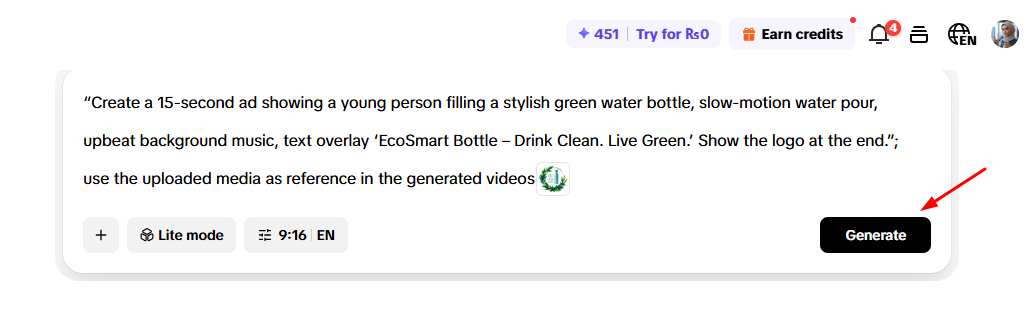
Once you are done writing the prompt, selecting mode and ratio, click on “Generate” Button.
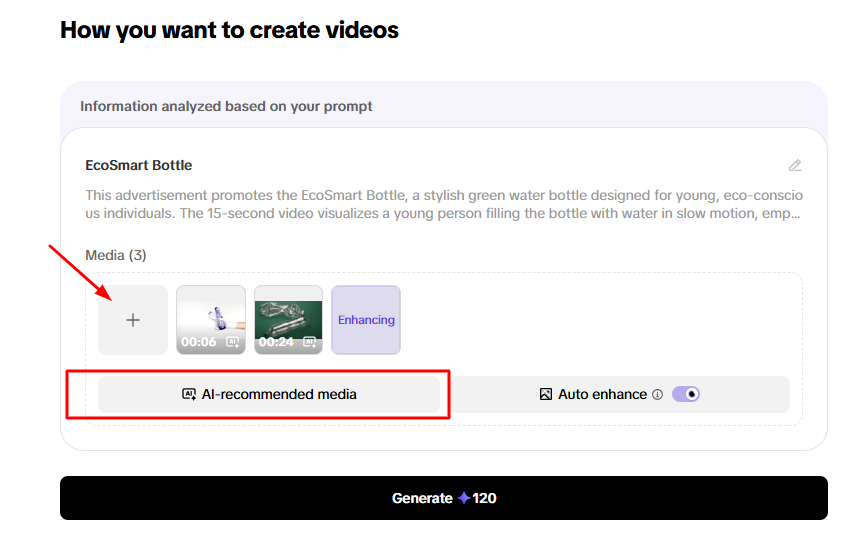
Here, it will analyze your prompt and suggests stocks media based on your prompt and product. You can choose upto 5 videos from stock videos.
There are 2 options. Either hyou upload your own product videos or use AI recommended media. From “+” icon, hyou can upload your own product images or videos. But I am choosing “AI recommended media”.
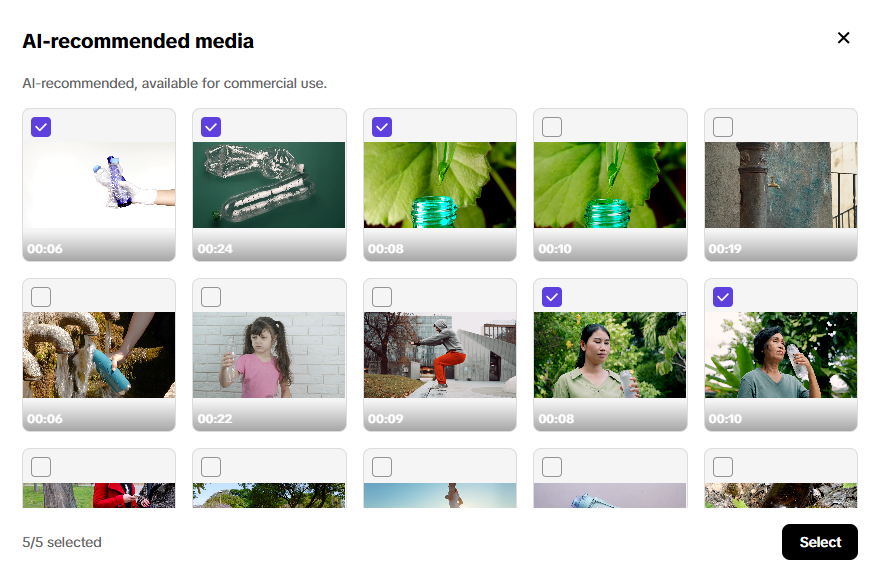
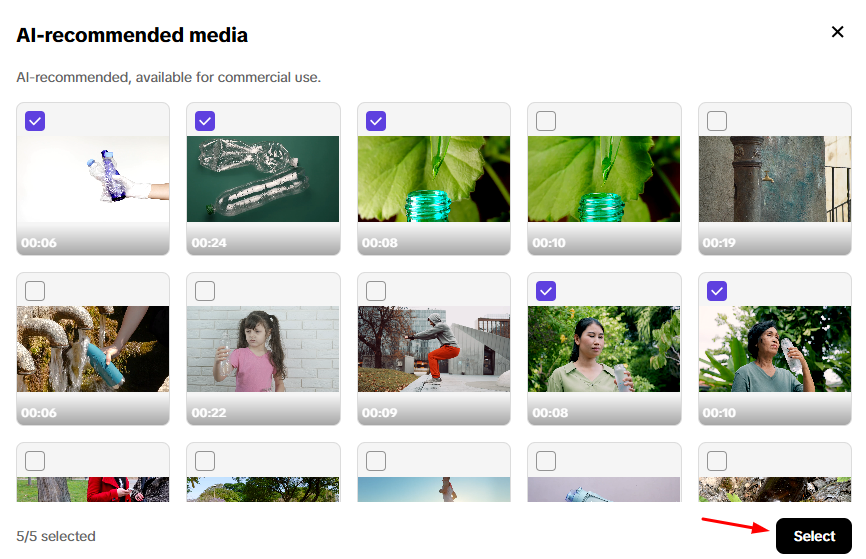
Here, I have selected 5 videos which were recommended by AI. After selecting, click on “Select”.
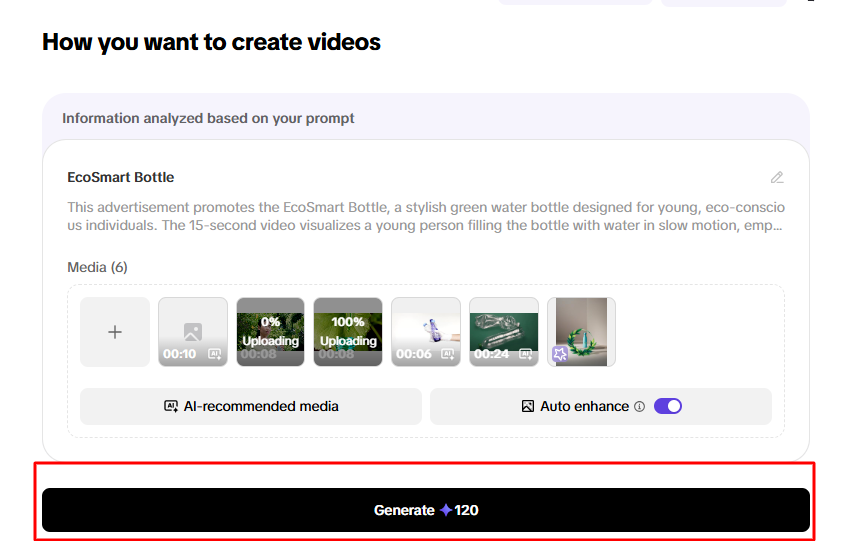
Last step is to click on “Generate”. It will take 120 credits and they are free. Just click on it and see the magic happen.
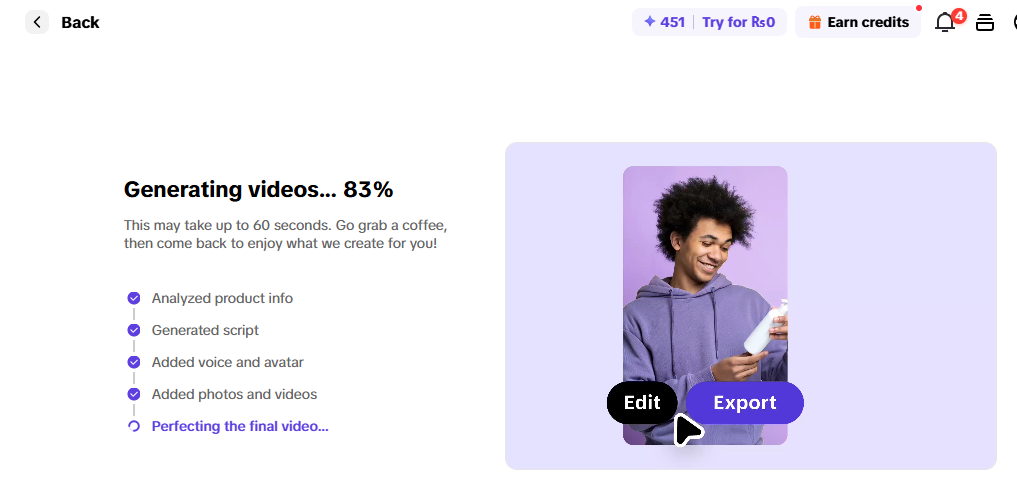
Now, videos will start rendering and in just 2-3 minutes, your ads will be ready.
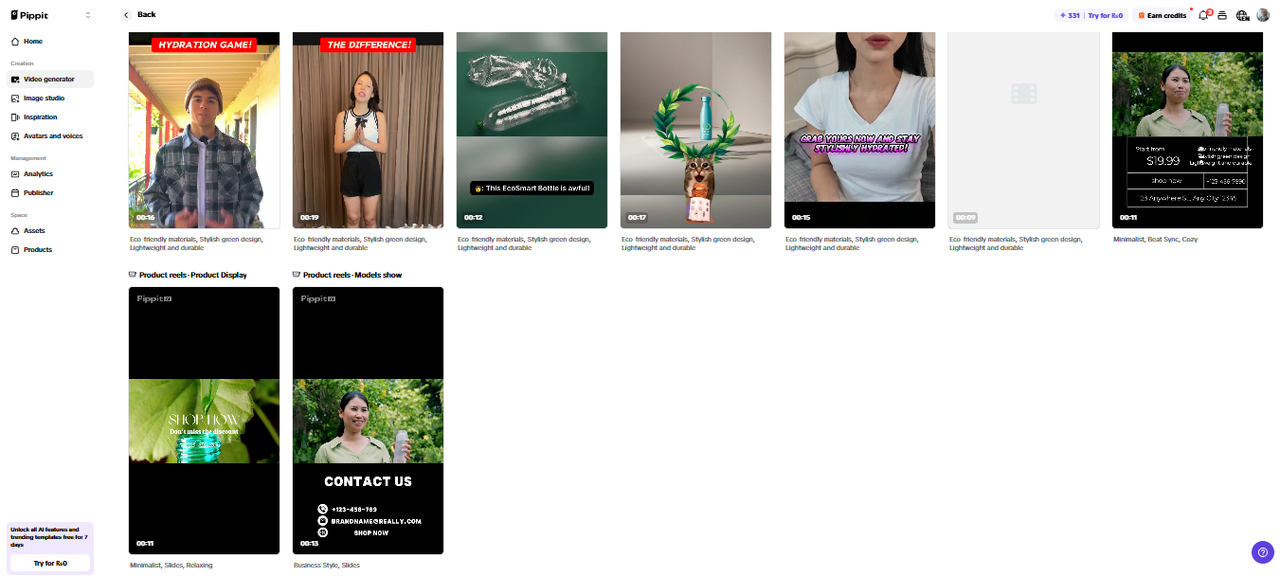
You can see here that 9 Free ads have been generated in just few minutes without spending a single penny. You can directly run ads using these ads.
So, Go NOW, Create your ads and start growing your business without spending on video ads creation.
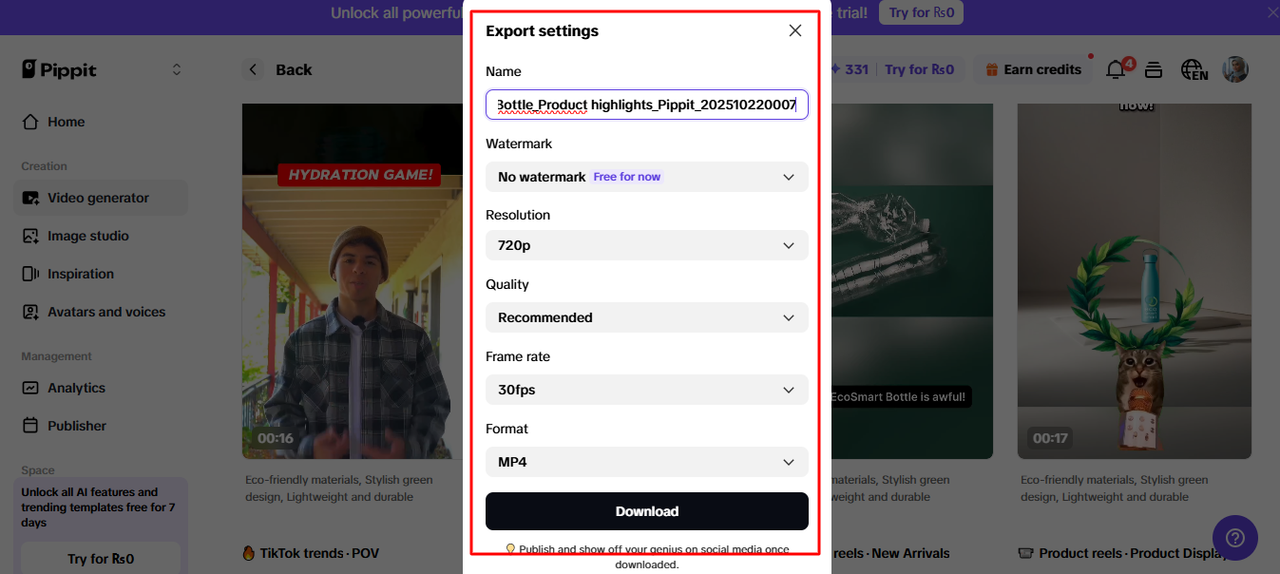
After reviewing all the videos, Hover over to any video you like and you will see the option of “Export”. Here choose the name for video, water mark, resolution, quality, frame rate and format settings as per your requirements. and then click on “Download”.
This is the Ad, I liked the most. You can generate more interesting and professional ads using your own product images and videos. And tweak them according to your liking.
Here are easy-to-remember tips when using CapCut AI:
✅ Start with strong product visuals. AI can’t fix blurry photos.
✅ Use real people or relatable scenes — AI-generated humans look realistic now, but authenticity sells better.
✅ Add your brand voice. Type captions or use a voice that matches your tone (fun, elegant, bold, etc.).
✅ Keep it short. 10–20 seconds works best for social ads.
✅ Test and tweak weekly. The first ad may not go viral, but testing helps find what works.
CapCut isn’t just for TikTokers anymore — it’s now a full AI marketing suite for eCommerce sellers.
You can:
-
Generate videos automatically
-
Edit like a pro without experience
-
Personalize every ad for your audience
-
Track performance with AI insights
It’s like having a marketing agency inside your laptop — free or low-cost.
-
Too much text on screen. Keep it short — one idea per slide.
-
Ignoring your audience. AI makes it easy to create, but remember who you’re talking to.
-
No testing. Always try 2–3 versions.
-
Using only AI visuals. Mix your real product clips with AI-generated ones for more trust.
-
Skipping captions. They help people remember your product name.
CapCut and other AI ad tools are getting smarter every month. Soon, they’ll be able to:
-
Generate full 3D product scenes.
-
Automatically adjust ad tone for different age groups.
-
Connect with shopping platforms (like Shopify) to generate video ads for every product automatically.
That means every online store, even small ones, will have professional-looking ads made by AI — and that’s the future of AI VIDEO ADS FOR ECOMMERCE MARKETING.
In 2026, tools like CapCut AI Ad Maker are helping businesses of all sizes make videos that once required entire creative teams. With just a few clicks, you can write, generate, and post an ad that sells — all from your phone or laptop.
AI doesn’t replace human creativity — it amplifies it. So use CapCut’s AI tools to bring your story to life faster, cheaper, and smarter.
CapCut AI Ad Workflow for eCommerce:
| Step | Action | What AI Does |
|---|---|---|
| 1 | Log into CapCut | Opens workspace |
| 2 | Choose “ALL Tools” | Suggests different AI tools |
| 3 | Choose “Marketing Video Agent” | Redirects to Pippit |
| 4 | Login to Pippit | 120 creadits on FREE account |
| 5 | Select “Video Generation” | Takes you to AI video Generation |
| 6 | Writing Prompt | Write propt and upload assests |
| 7 | Select Mode | Select “Lite Mode” |
| 8 | Click on “Generate” | Video Rendering Process |
| 9 | Export Settings | Carefully apply export settings |
| 10 | Download | Download all or the ones you like most |
Find quick answers to the most common questions about AI video ad creation using CAPUT and discover how they can transform your brand’s marketing in 2026.
Can I make ads for free with CapCut?
Yes! CapCut has a free version with AI tools. Some premium effects and templates need a Pro subscription, but most ad features are free.
Can CapCut ads work for any product?
Yes , you can make ads for fashion, beauty, tech, home, food, or even digital products. Just upload clear images and write a clear prompt.
Can I post CapCut ads directly to TikTok or Instagram?
Yes. You can connect your TikTok account inside CapCut or export videos for Instagram and YouTube easily.
How long should AI video ads be?
Keep them between 10–30 seconds. Short, engaging videos work best for social media.
Does CapCut use my data or product images?
CapCut only uses them to generate your videos. You can delete your projects anytime, and your brand content stays private on your account.